Transformation Data Destinations
The Data Destination tab of the Transformation Editor defines where processed data is written. This page describes each destination type, the update key concept, and the insert/update options that control how records are saved.
Prerequisites
- Familiarity with the Transformation Editor and Transformation Data Sources
- Configuration-level access to edit transformations
Update Key Fields
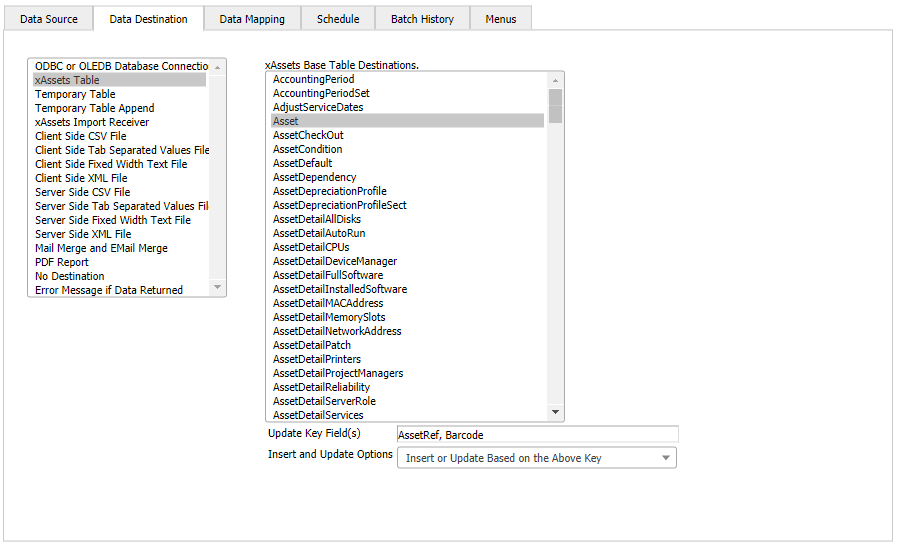
Most database destinations require one or more Update Key Fields to be specified. The update key tells the system how to determine whether an incoming record already exists in the destination:
- If a matching record is found by the key, the existing record is updated with the incoming data.
- If no matching record is found, the incoming record is inserted as a new record.
Without an update key, the system attempts to insert every incoming record, which can cause duplicate records or errors if a unique constraint is violated.
Insert and Update Options
Most import destinations provide an Insert and Update Options dropdown with the following choices:
| Option | Behaviour |
|---|---|
| Insert and Update | Insert new records and update existing ones (default) |
| Update Only | Only update records that already exist; ignore new records |
| Insert Only | Only insert new records; ignore records that match the update key |
| Insert Guaranteed | Insert all records without checking for existing matches. This saves one SELECT query per record and improves performance when you are certain the incoming data does not overlap with existing records. |
Warning: Using "Insert Guaranteed" when records might already exist will cause duplicate records or key violation errors. Only use this option when the data source is guaranteed to contain only new records.
Destination Types
ODBC or OLE DB Data Source
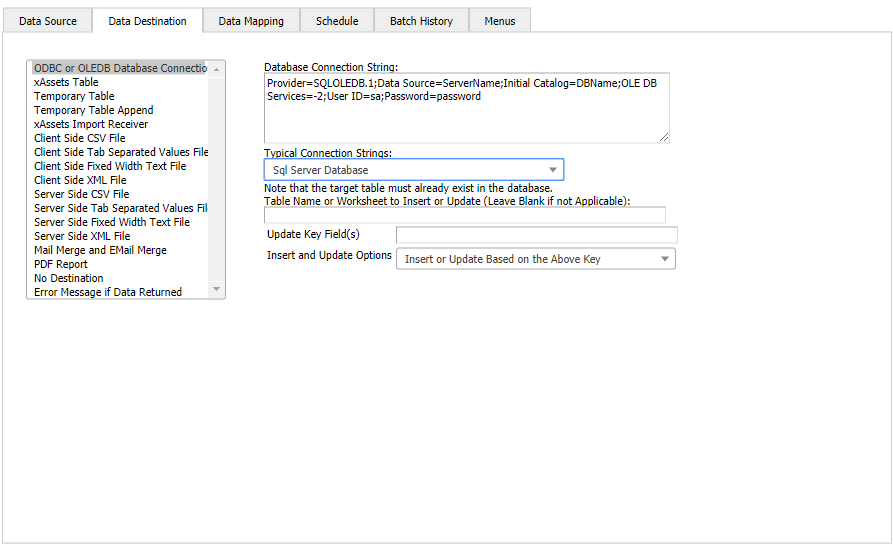
Export data to an external database using an ODBC or OLE DB connection string. You must supply the connection string and the name of the target table (or view).
xAssets Table
Import data into any xAssets table except the Asset and AssetVerification tables (these have special loaders and must use the Import Receiver destination instead). Select the target table from the dropdown, and the system populates the available destination fields for mapping.
Temporary Table
Import data into a SQL Server temporary table. This is useful when the data needs manipulation, cleaning, recognition, or other processing before being imported to its final destination. A common pattern is a two-step transformation: step one loads raw data into a temporary table, step two processes and imports the cleaned data into xAssets.
xAssets Import Receiver
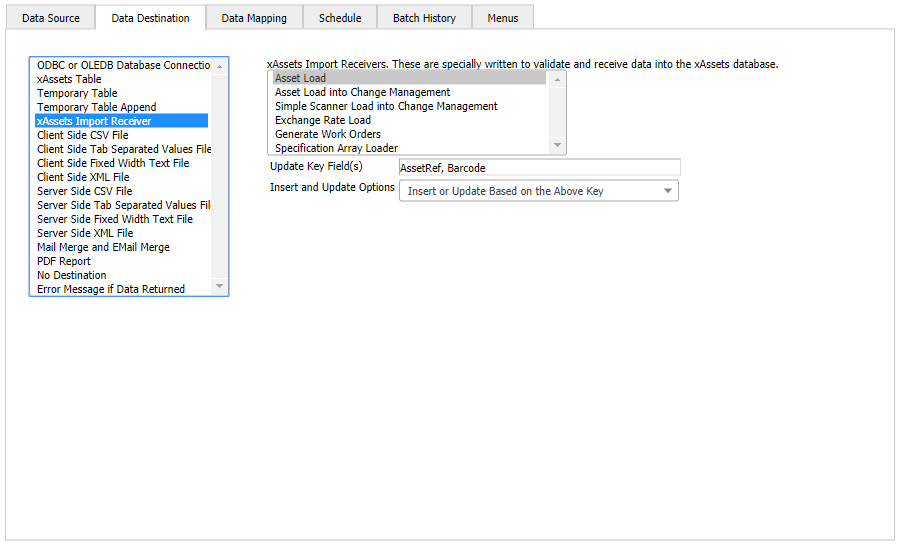
Use this destination when importing data into the Asset table or the AssetVerification table (audit holding area). The Import Receiver handles the complex business logic required for these tables, including asset numbering, category assignment, and verification record creation.
Client-Side and Server-Side File Output
Four client-side and four server-side options output standard-format data to a text file. Client-side options deliver the file to the user's browser for download. Server-side options save the file on the application server.
These are useful for generating export files for other systems, creating CSV reports, or producing data extracts.
Mail Merge and Email Merge
Create email notifications by merging transformation data into an email template:
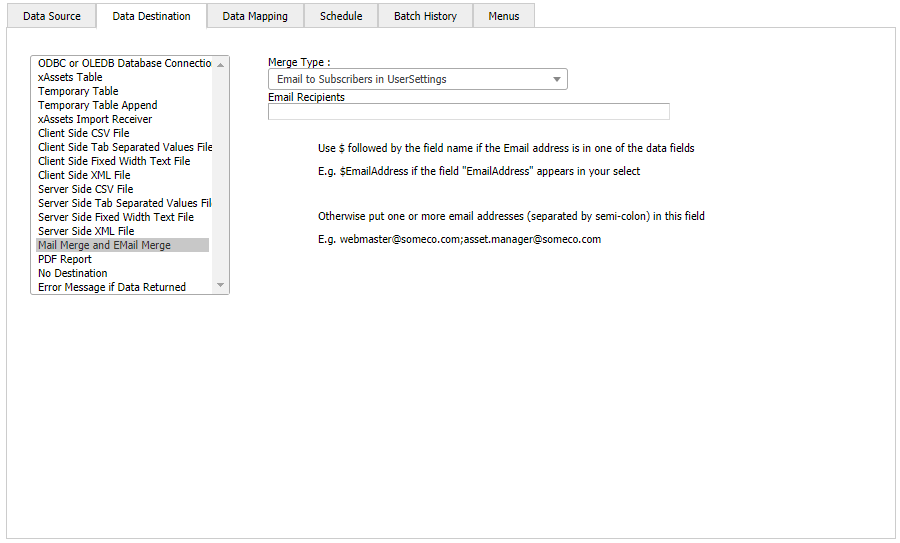
Key configuration points for email merge:
- Email Recipients: If the data source includes a field containing the destination email address, enter that field name preceded by
$in the "Email Recipients" field (e.g.,$EmailAddress). - Email Subject: If the data source includes a field called
EmailSubject, that field's value becomes the subject line for each email. - Consolidation: The system automatically consolidates multiple records destined for the same email address into a single email, reducing the number of messages sent.
PDF Report
Send the data generated by the source to an xAssets report designer template embedded in an existing query. The output is a formatted PDF document that can be displayed in the browser or saved.
No Destination
Use "No Destination" in the following circumstances:
- The source is an XDSL discovery script that handles its own output
- The source is an AMSX script that writes data directly (e.g., using
SqlExecuteor API calls) rather than returning a result set - The source is a stored procedure or non-SELECT SQL statement that performs its own updates
Related Articles
- Transformation Data Sources — configuring where data comes from
- Source to Destination Data Mapping — mapping source fields to destination fields
- Editing a Transformation — overview of the Transformation Editor