License Assignment Reports
Three reports answer the question "who has what" from different directions. Which one you want depends on whether you are starting from a license, from a person, or from a machine.
| Report | Starts from | Answers |
|---|---|---|
| License Assignment Report – Per User | A license | Which people hold a seat on this license |
| License Assignment Report – Per Device | A license | Which machines this license is assigned to |
| License Detail by User | A person | Everything this person holds, and why |
All three are reached from Licensing in the navigation menu, and the two assignment reports also appear on the Software License Dashboard → Compliance and Position tab.
License Assignment Report – Per User
The per-user view: one row per person per license, for licenses that are counted by user.
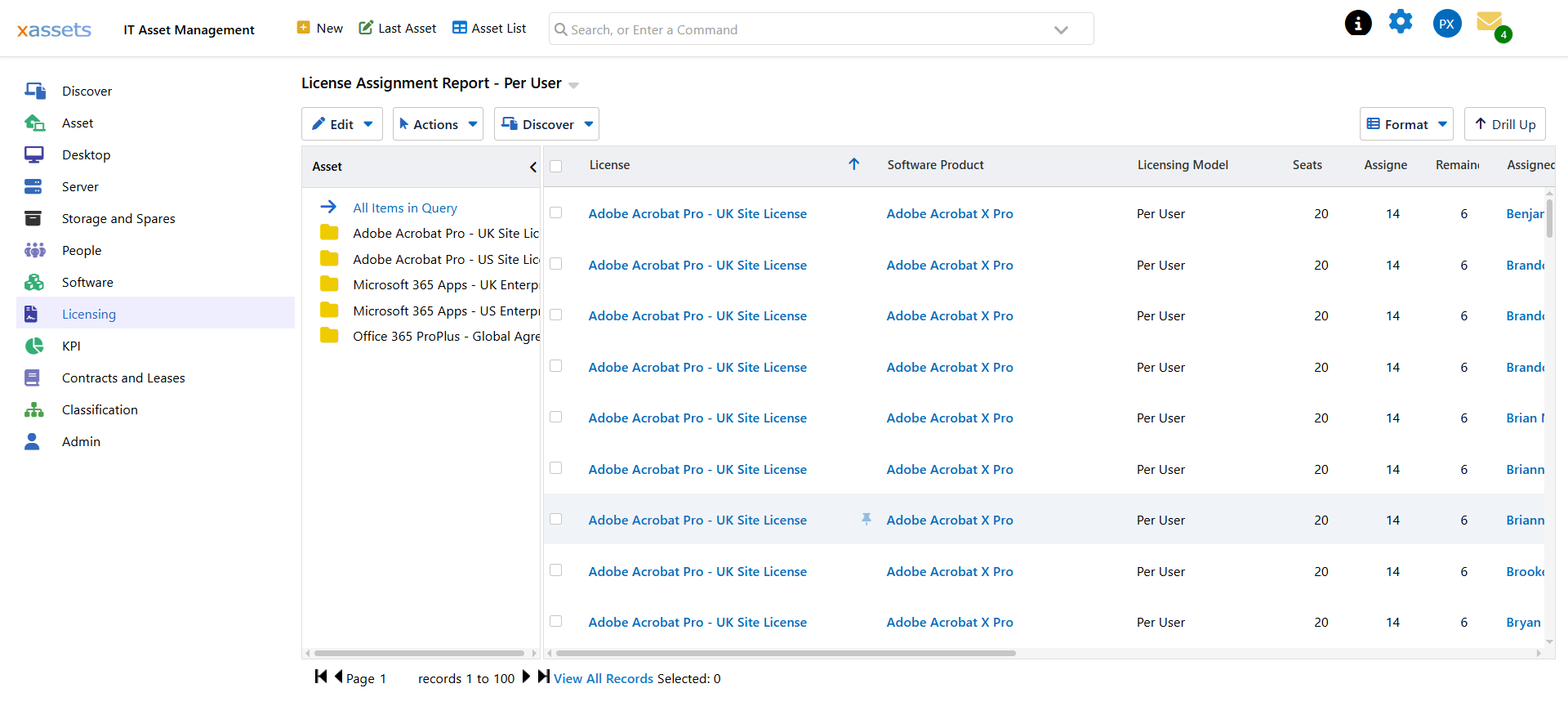
| Column | Meaning |
|---|---|
| License | The license record — click through to open it |
| Software Product | The catalog entry the license covers — click through to open it |
| Licensing Model | How the product is counted, taken from the catalog entry |
| Seats | Seats the license carries |
| Assigned | Seats currently handed out |
| Remainder | Seats still available |
| Assigned To User | The person holding the seat — click through to open them |
| Their email address |
Seats, Assigned and Remainder repeat on every row for the same license. That is deliberate — it means you can sort or filter to any subset and still see how much headroom the underlying license has.
Filtering with the Tree
The tree on the left lists the licenses in the report. Click one and the grid narrows to that license alone; click All Items in Query to go back to everything. With a few hundred assignments across a dozen agreements this is much quicker than sorting.
License Assignment Report – Per Device
The same idea for licenses counted by device. One row per machine per license.
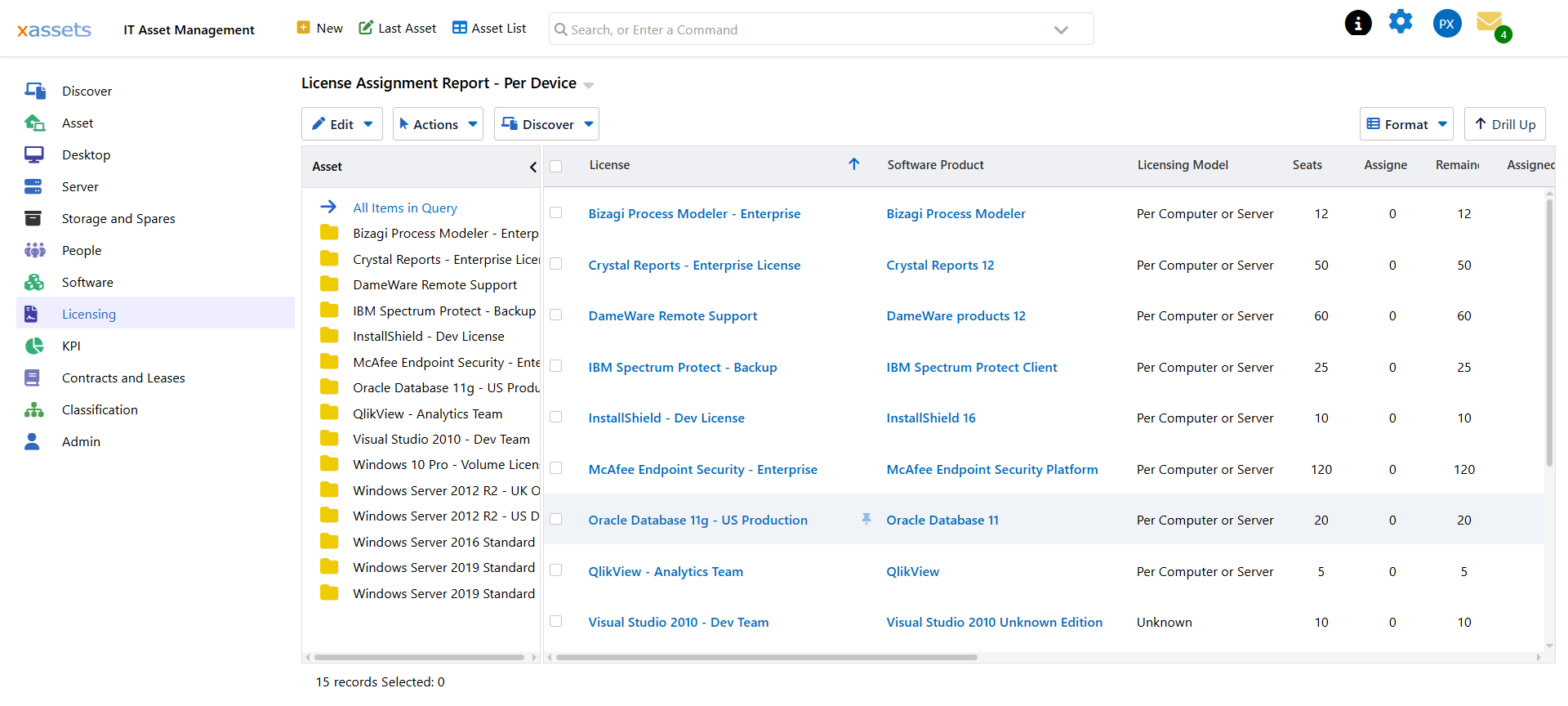
The license columns are the same. The right-hand side describes the machine instead of the person:
| Column | Meaning |
|---|---|
| Assigned To Device | The asset the license is assigned to |
| Computer Name | Its computer name |
| Device Type | What kind of machine it is |
| Device Custodian | Who the machine belongs to |
| Assigned From / Assigned Until | The period the assignment covers, where one is set |
| Notes | Free text on the assignment |
Device Custodian is not the same as an assignment to that person. It is simply who the machine belongs to. A per-device license assigned to a laptop stays with the laptop when the laptop changes hands.
License Detail by User
Where the two reports above start from a license, this one starts from a person and lists everything they hold.
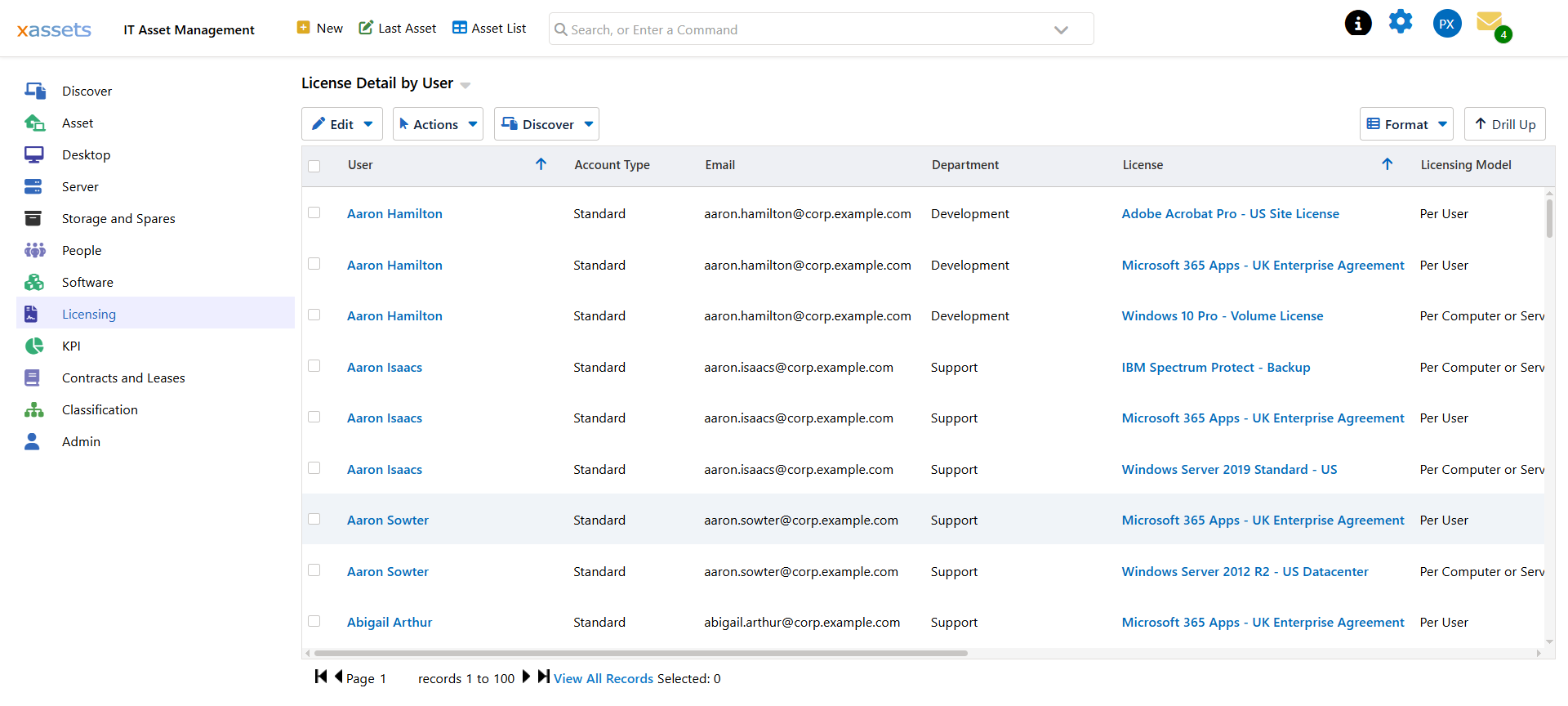
| Column | Meaning |
|---|---|
| User / Email / Department | Who they are |
| Account Type | Whether this is a normal account or something like an admin or service account |
| License | The license involved |
| Licensing Model | How that product is counted |
| Basis | Why they hold it — the useful column, see below |
| Covered Device / Device Type | The machine involved, where one is |
| Rights | How many rights this line accounts for |
| Assigned By | Who or what made the assignment |
| First Seen / Last Seen | When it appeared and when it was last confirmed |
Basis is what makes this report worth running. A person can end up holding a license because a seat was assigned to them directly, or because a machine they own has the product installed and a per-device license covers it. Those look identical on a seat count and are very different when somebody leaves — a directly assigned seat needs handing back, a device-derived one goes away with the machine.
Account Type is the other column to watch. Admin and service accounts holding paid seats are a common and expensive finding, and one worth checking before a renewal.
Which Report for Which Job
| Job | Report |
|---|---|
| Reconciling seat counts against a vendor portal | Per User, filtered to the agreement |
| Finding unused seats before a renewal | Per User — sort by Remainder |
| Working out what a leaver was holding | License Detail by User |
| Checking a machine is properly covered | Per Device |
| Finding paid seats on admin or service accounts | License Detail by User — filter Account Type |
Related Reading
- Assigning Licenses to Users — how seats get assigned in the first place
- Reports — the rest of the licensing position reporting
- License Reclaim — acting on what these reports find