Installations, Moves, Additions and Changes (IMACS)
The IMACS report tracks all infrastructure changes over a rolling window, categorised into Installs, Moves, Adds, Changes, and Disposes (the ITIL "IMAC-D" model). This structured view is essential for IT governance, audit compliance, and understanding how your environment evolves over time.
Accessing the IMACS Report
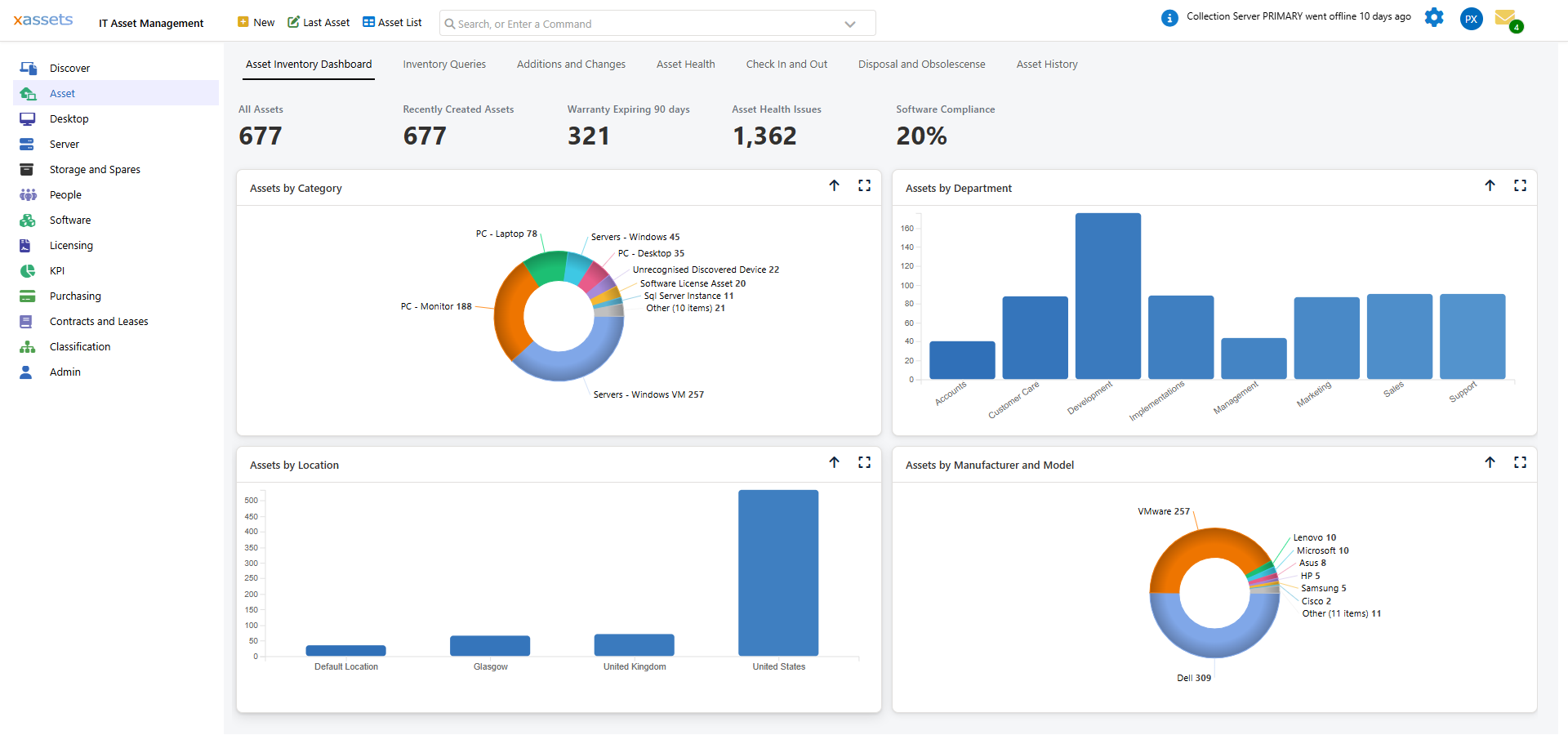
The report is a tab on the dashboard for each asset population, sitting alongside "Asset Inventory Dashboard", "Inventory Queries", "Asset Health", "Disposal and Obsolescense" and "Asset History":
- Asset > Additions and Changes - all configuration items
- Desktop > Additions and Changes - desktops and laptops only
- Server > Additions and Changes - servers only
The tab holds three panels: Additions - 7 days (a donut chart of newly added assets by category), Software Installations - 7 days (a donut chart of newly detected software titles), and Installs, Moves, Additions and Changes - the full IMACS grid, covering the last 30 days. Click the expand icon on any panel to view it full-page, or the up-arrow to collapse it.
Scope
The IMACS report covers Configuration Items (CIs) only -- assets whose category has a Network Discovery code other than "SW". This means it focuses on physical and virtual infrastructure (computers, servers, network devices) rather than software licence records. The Desktop and Server variants apply the same rule, then further restrict to categories tagged as Desktop/Laptop or Server respectively.
IMACS Categories
Each row in the report is tagged with one of these change types:
| Type | Changes Tracked |
|---|---|
| PC Install | A new asset record was created within the reporting window. To avoid noise, no individual hardware or software rows are emitted for brand-new assets - one "PC Install" row covers the whole device. |
| Move | Location changed |
| Memory Change | Memory slots added or removed |
| CPU Change | CPUs added or removed |
| Disk Change | Disks added or removed |
| Software Install | A Primary or Banned-software product was newly detected on an existing asset |
| Software Removal | A Primary or Banned-software product disappeared from an existing asset |
| Other | Operating System, Domain, Custodian, Cost Centre, Department, or Status changed |
| Dispose | DateDisposedOf was newly set |
Each row also records the field that changed, the old and new values, who changed it, and whether the change came from manual editing, discovery, or a system process.
Customisation
The IMACS report is implemented as a single SavedSelect per population (IMACS Report, IMACS Report - Desktop, IMACS Report - Server) -- one SQL statement with a union all block per change type, portable across SQL Server and MariaDB. To track additional change types -- for example IP address changes or warranty updates -- extend the SQL with another union all block following the existing pattern. The 30-day/7-day windows are currently fixed in the SQL rather than user-adjustable.
Using IMACS Reports
| Use Case | How |
|---|---|
| Audit preparation | Expand the IMACS panel for the audit period to demonstrate what changed and when |
| Change verification | After a planned project (e.g., memory upgrades across a department), check the IMACS report to confirm the changes were applied |
| Trend analysis | Compare IMACS data across periods to identify patterns (e.g., increasing rate of hardware additions may indicate growth) |
| Security review | Look for unexpected changes that may indicate unauthorised modifications |
Tips
- Use the Desktop or Server "Additions and Changes" tab when you only need to see one population - they apply the same change logic but restrict to desktops/laptops or servers
- Expand the IMACS grid to full-page and archive it periodically for audit purposes
- Use the grid's column filters to narrow by Type (Installs only, Moves only, etc.) when the list is long
- Compare IMACS data with change requests to verify that all recorded changes were authorised
Related Articles
- Additions and Changes - the broader change reporting dashboard
- Asset History - viewing change history for a specific asset
- Email Notifications - automated alerts for specific change types