Creating a Service Process
A Service Process is a reusable template that defines what a service involves. Every work order generated from a service plan inherits its details from the associated Service Process. You typically create one Service Process per type of service - for example, "Car Minor Service" or "Annual PAT Test".
A Service Process specifies:
- Reference and Work Order Reference Template - the naming pattern used for work orders generated from this process
- Description, Work Centre, and Process Notes - what the service entails
- Starting Status and Priority - applied to generated work orders
- Assigned To and Assigned to Supplier - the default employee or supplier the work order is assigned to
Viewing existing Service Processes
Go to Maintenance > Service Process > Manage Service Processes to see all Service Processes in the system.
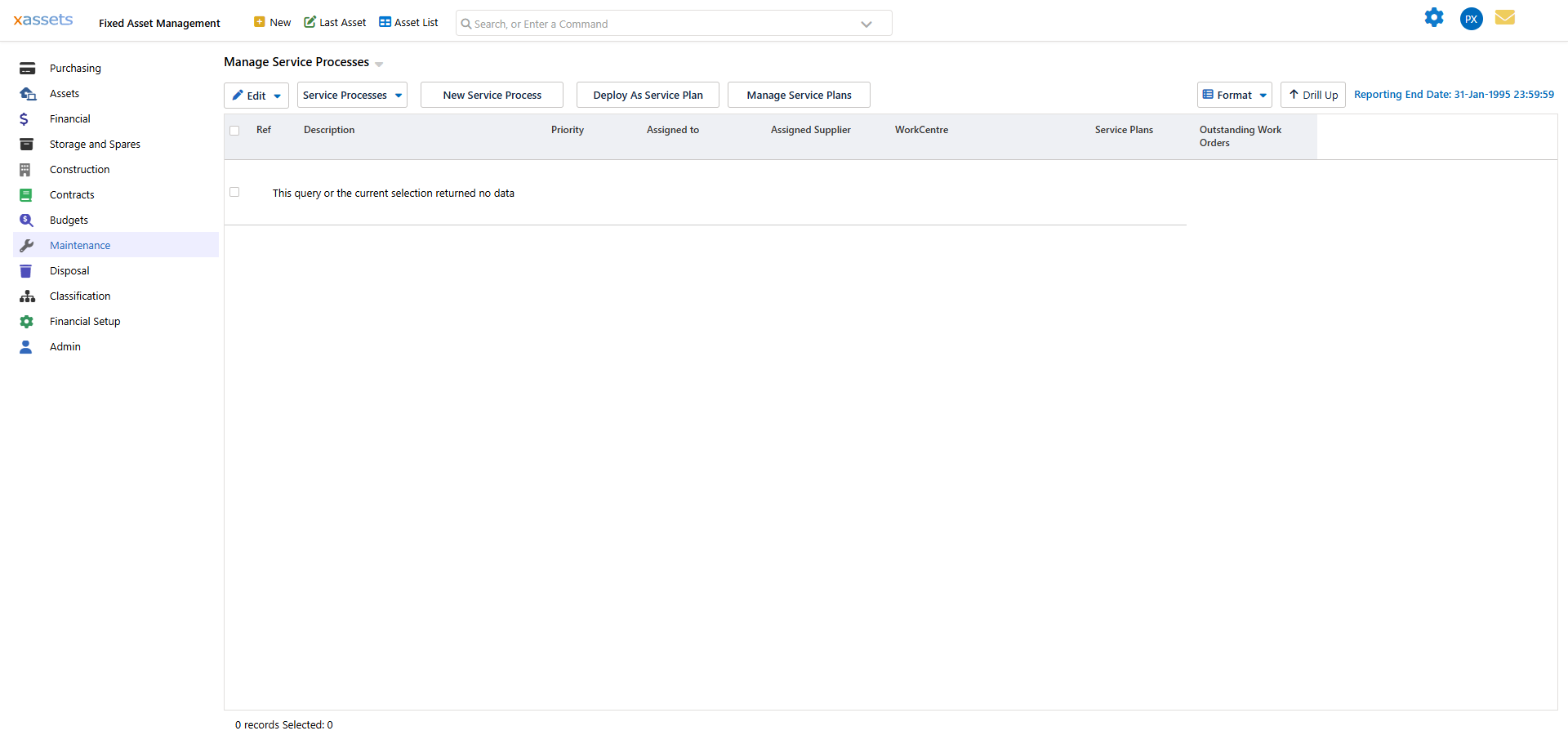
The list shows each process's Reference, Description, Priority, assigned employee/supplier, Work Centre, and the number of Service Plans and outstanding Work Orders that use it. From the toolbar you can edit the selected row, open the Service Processes menu (for related Service Plans and work orders), deploy a process directly as a Service Plan, or jump to Manage Service Plans.
Creating a new Service Process
Use any of these methods:
- Maintenance > Service Process > Create a New Service Process from the main menu
- The Service Processes menu above the list
- The New Service Process button on the Manage Service Processes screen
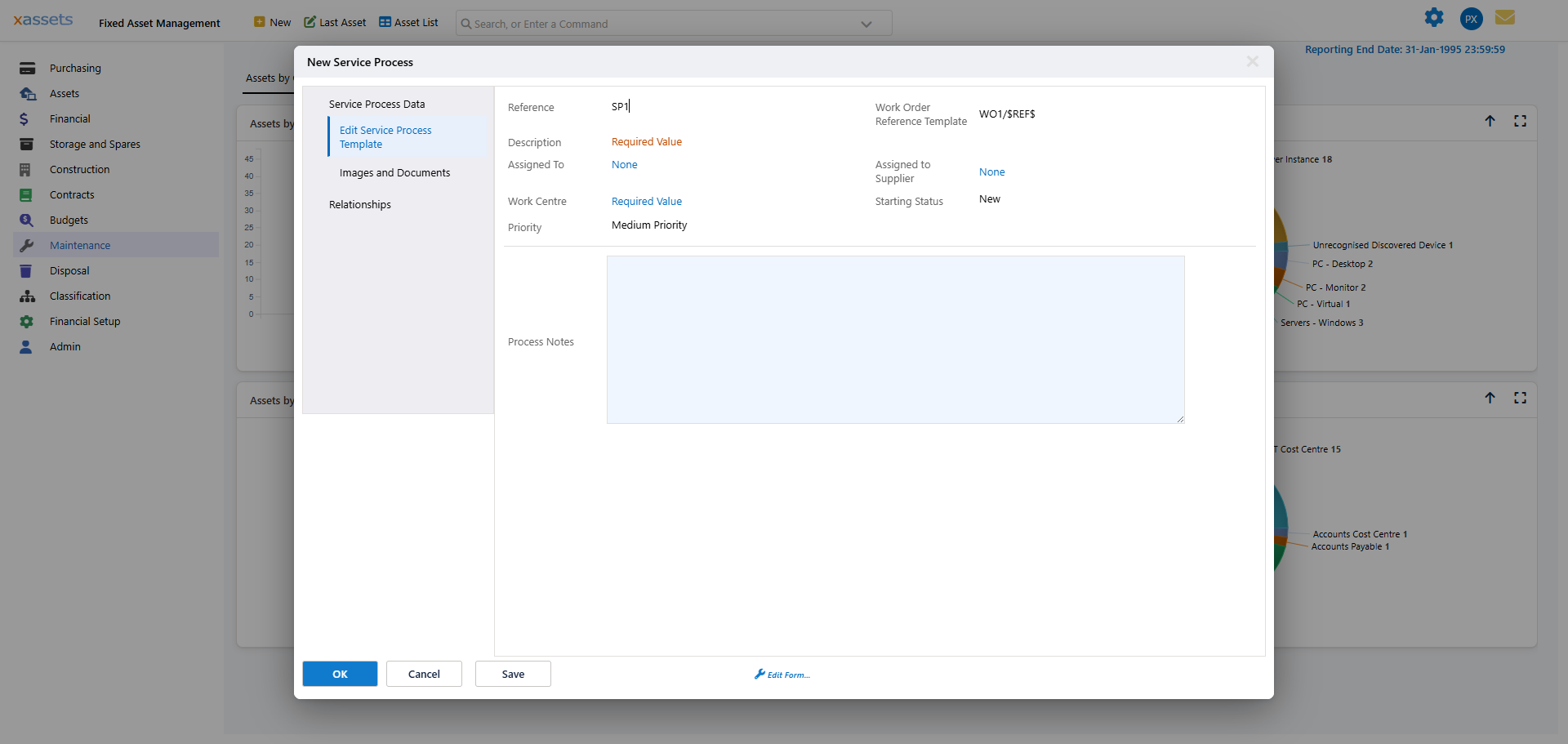
The Reference and Work Order Reference Template are pre-filled (e.g. SP6 and WO6/$REF$) but can be changed. Description and Work Centre are required. Assigned To, Assigned to Supplier, Starting Status, and Priority default to None / New / Medium Priority and can be set as needed. Use Process Notes for any service procedure details. Additional tabs let you attach Images and Documents and manage Relationships.
The Work Order Reference Template field lets you define a naming pattern for generated work order references. Available placeholders:
| Placeholder | Value |
|---|---|
$ID$ |
The unique ID of the generated work order |
$REF$ |
The Reference from this Service Process |
Editing a Service Process
Click the Description of any Service Process in the Manage screen to edit it. Changes apply only to future generated work orders - existing work orders are not affected.
From the Manage Service Processes screen, you can also view and manage related Service Plans and work orders using the Service Processes menu.
Related Articles
- Creating a Service Plan - How to create a service plan
- Steps to Generate Work Orders - The steps involved in generating work orders
- Generating Work Orders - How the system generates work orders
- Introduction to Work Orders - Overview of work orders
- Task Assignment Rules - How tasks are assigned to work centres