Accounting Periods
Accounting periods define the time intervals used for depreciation calculations and journal production. Each depreciation run processes one period at a time, so the period structure directly controls when and how often depreciation is calculated. This page explains the three-level hierarchy and how to configure it for your organisation.
Prerequisites
- You must be in the Fixed Asset Management profile (see Fixed Asset Management Profile).
- You should know your organisation's financial year-end date and period structure (monthly, 4-4-5, 13-period, etc.).
The Three-Level Hierarchy
xAssets organises accounting periods in a three-level hierarchy:
| Level | Description | Example |
|---|---|---|
| Accounting Period Set | A collection of financial years. Each company is assigned to one set. | "UK Companies" |
| Financial Year | A year within a set, defining the year-end date. | "Year ending 31 March 2026" |
| Accounting Period | An individual period (typically a month) within a financial year. | "April 2025", "May 2025", etc. |
This structure supports:
- Companies with different year-end dates - Put them in separate accounting period sets
- Non-standard period conventions - 4-4-5 weekly periods, 13-period years, or quarterly periods
- Multiple financial years - Each set contains a history of years and their periods
Accessing Accounting Periods
Switch to the Fixed Asset Management profile, then open the Financial Setup entry in the left-hand navigation and click Accounting Periods:
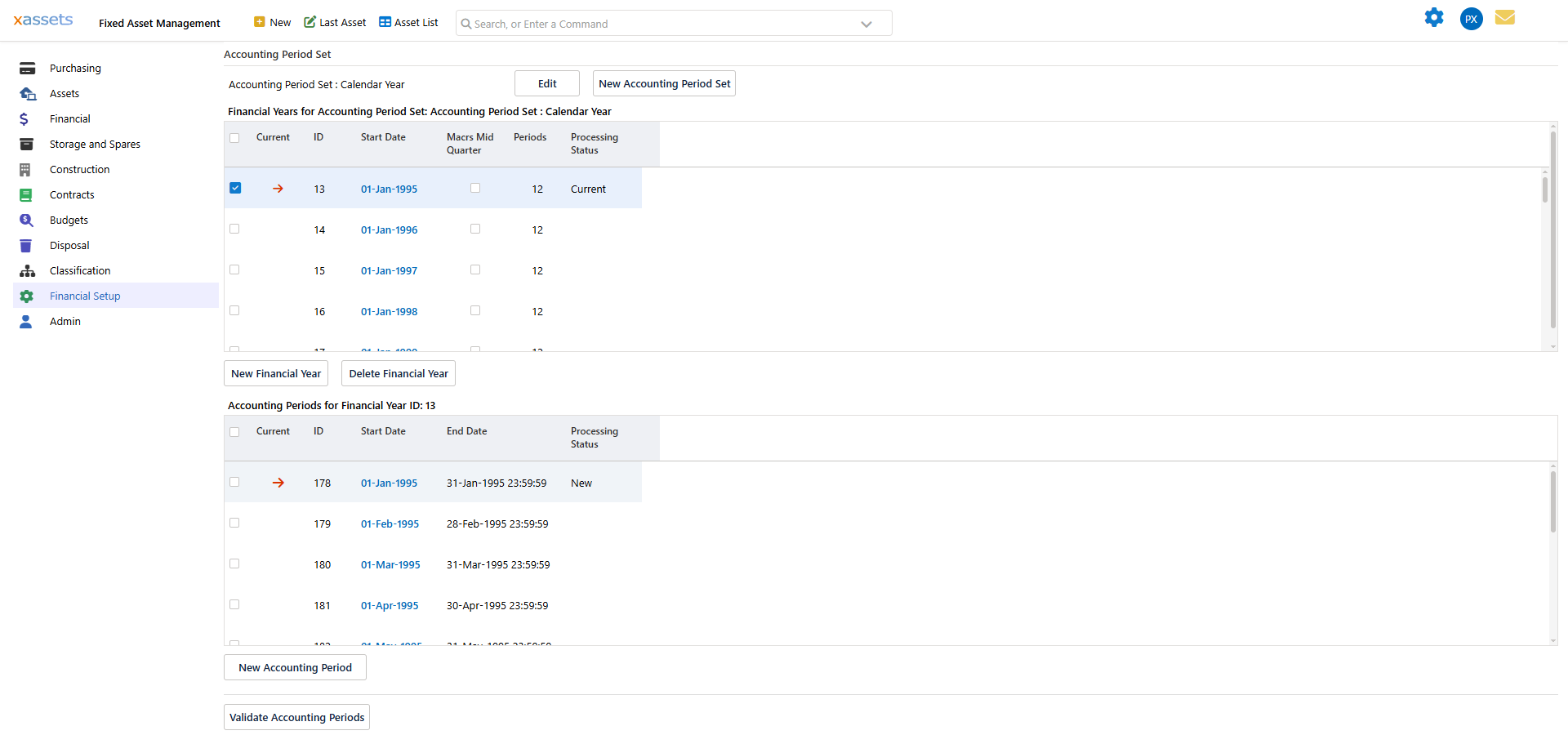
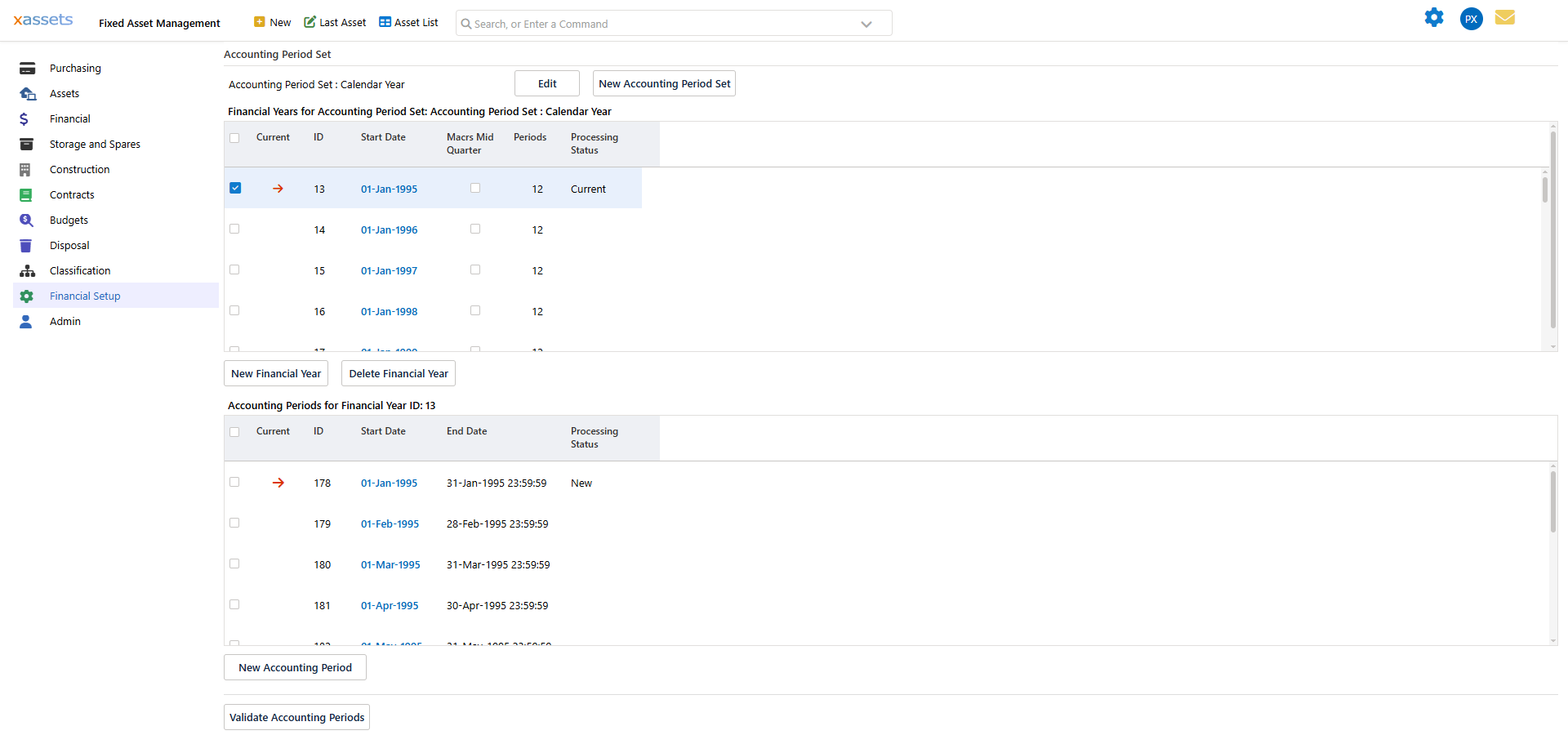
The screen shows all three levels at once: the selected Accounting Period Set at the top, the Financial Years within that set in the middle grid, and the individual Accounting Periods for the currently selected financial year in the bottom grid.
Setting Up Accounting Periods
Step 1: Create an Accounting Period Set
Use the New Accounting Period Set button if you do not already have a set. The set is simply a named container - for example, "Calendar Year" or "UK Financial Year". Use Edit to rename or reconfigure an existing set. The set selector at the top of the screen lets you switch between accounting period sets if you have more than one.
Step 2: Create Financial Years
Within the set, use New Financial Year to add a financial year for each year you will be processing. The Financial Years grid shows each year's ID, start date, period count, and Processing Status (for example "Current"). The Current checkbox and arrow marker show which financial year is active for the set; select a row's checkbox and click a financial year to work with a different year. Use Delete Financial Year to remove a year that has not been used.
Tip: Create financial years at least one year ahead of your current processing period. If you reach the end of a financial year without the next year's periods defined, you will not be able to run depreciation for the new year.
Step 3: Create Accounting Periods
Selecting a financial year in the middle grid loads its individual periods into the Accounting Periods for Financial Year ID: ... grid below it. Use New Accounting Period to add a period, giving it a start date and an end date. For a standard monthly setup:
| Period | Start Date | End Date |
|---|---|---|
| Period 1 (April) | 1 April 2025 | 30 April 2025 |
| Period 2 (May) | 1 May 2025 | 31 May 2025 |
| Period 3 (June) | 1 June 2025 | 30 June 2025 |
| ... | ... | ... |
| Period 12 (March) | 1 March 2026 | 31 March 2026 |
For non-standard period structures (e.g. 4-4-5), set the start and end dates to match your organisation's calendar.
Use Validate Accounting Periods after setting up a year's periods to check the period structure (for example, that periods are contiguous) before relying on it for depreciation processing.
Warning: Periods must be contiguous - there should be no gaps between the end of one period and the start of the next. Gaps will cause depreciation to be missed for transactions dated within the gap.
How Periods Affect Depreciation
The period structure controls depreciation in several ways:
- Frequency - If you have monthly periods, depreciation is calculated monthly. Quarterly periods mean quarterly calculations.
- Transaction dating - Each transaction is assigned to a period based on its apply date. The transaction falls into whichever period contains that date.
- Recovery period interpretation - A recovery period of 60 with monthly periods means 60 months (5 years). With quarterly periods, 60 would mean 60 quarters (15 years). Ensure your depreciation type recovery periods are set in the same units as your periods.
- Current period tracking - The system tracks which period is "current" for each accounting period set. Period-end processing always calculates for the current period, then advances the pointer to the next period.
Period Status
Both the Financial Years grid and the Accounting Periods grid show a Processing Status column, and a red arrow marks the period the system currently considers active for depreciation processing (for example "Current" on the active financial year, "New" on a period that has not yet been processed). Depreciation and period-end processing always act on the current period and then advance the pointer to the next one, so periods are effectively worked through in order.
Tip: Keep at least one financial year and its periods defined ahead of the current processing period (see the Tip in Step 2) so period-end processing always has a period to advance into.
Common Configurations
| Organisation Type | Recommended Setup |
|---|---|
| Single company, calendar year | One set, one year per calendar year, 12 monthly periods |
| Single company, non-calendar year | One set, one year per financial year, 12 monthly periods |
| Multi-company, same year-end | One set shared by all companies |
| Multi-company, different year-ends | Separate sets per year-end date |
| 4-4-5 weekly periods | One set with 13 periods per year |
Related Articles
- Multi Company Environments - Assigning companies to accounting period sets
- The Monthly Accounting Process - How periods drive the depreciation cycle
- Financial Setup Introduction - Where accounting periods fit in the overall setup sequence
- See the main user guide for detailed step-by-step instructions on creating and configuring accounting periods.