Custodian Identities
One person has many usernames. Their Active Directory logon is rarely the same string as their Entra account, which is rarely what a discovery agent reports, which is rarely what the service desk tool calls them. Custodian Identities record all of those against one person, so that every integration recognises them as the same human being.
The Problem This Solves
Run Active Directory, then Entra, then a network discovery, and each one arrives with its own idea of who somebody is:
| Source | How it names the same person |
|---|---|
| Active Directory | CORP\p.lambert |
| Entra | paul.lambert@company.com |
| Discovery | PAUL.LAMBERT |
| Service desk | plambert |
Without a way to tie those together, each integration creates its own person record. You end up with four Paul Lamberts, each holding some of his assets and some of his licences, and no report tells you the truth about any of them. For per-user licensing this matters twice over, because a person counted four times consumes four seats.
How It Works
Every person carries a list of identities. Each entry records:
| Field | Meaning |
|---|---|
| Source | The system the identity came from — Active Directory, Entra, a discovery, a service desk, and so on |
| User ID | The username exactly as that system spells it |
| First Seen / Last Seen | When the identity first appeared and when it was last confirmed |
Behind each entry, xAssets also keeps a normalised form of the username — lower-cased, with any DOMAIN\ prefix or @domain suffix removed, and punctuation stripped. CORP\P.Lambert, paul.lambert@company.com and Paul.Lambert all reduce to the same normalised value, which is what lets the different spellings match.
When an integration brings in a person, xAssets looks for an existing identity that matches before it creates anybody. If it finds one, the incoming data attaches to the person who already exists. If it does not, a new person is created and the identity recorded against them, so the next integration to see that username will match.
Viewing Someone's Identities
Open a person from People → Custodians. At the foot of their record, alongside the counts for assets and licences, is Logins with a Show Logins button.
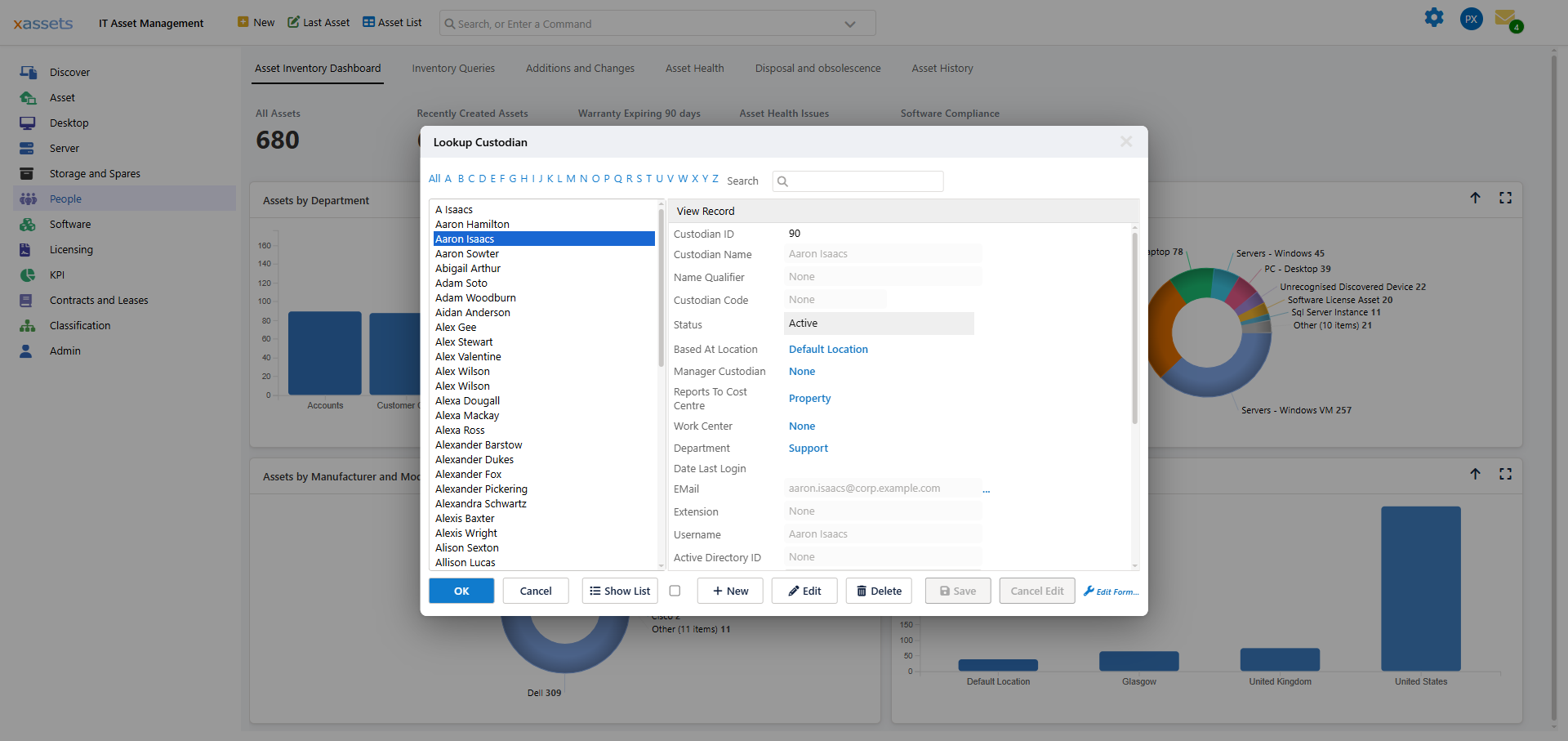
Show Logins lists every identity held for that person, and lets you add one by hand.
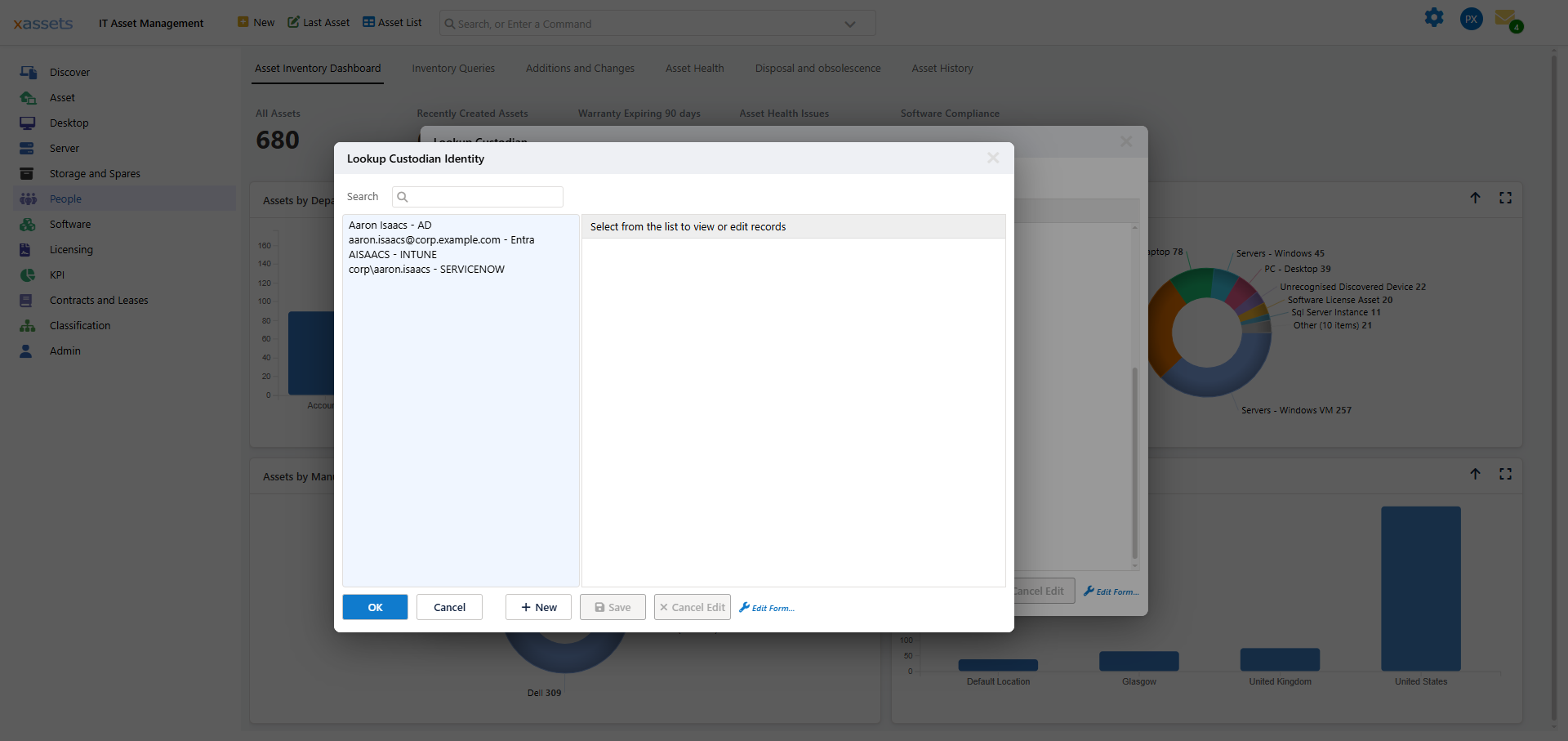
Adding one by hand is the fix for a person whose accounts do not resemble each other at all — a contractor whose network logon bears no relation to their email, for instance. Record the second username against them and the next integration run will attach to the right person instead of creating a new one.
Matching on Name
Usernames are the reliable key, but people arrive without one often enough that xAssets also considers the person's name.
The risk is obvious: two real people can share a name. xAssets guards against it. If a single source delivers two people with the same name, they are demonstrably two different humans, and name matching is abandoned for that name. Only usernames or email addresses will match those two people from then on.
That guard only works within a source. If your organisation is large enough to have two Sarah Joneses arriving from different systems, record a username or email against each of them so there is something stronger than a name to match on.
For which integrations may create or change people at all, see Custodian Matching and Integration Authority.
When Duplicates Already Exist
Identities stop new duplicates. They do not clean up duplicates you already have. For that, see Managing Duplicate Custodians.
A sensible order of work:
- Turn on identity matching and let the integrations run.
- Merge the duplicates you already have.
- Watch the duplicates report for a couple of cycles to confirm no new ones appear.
If new duplicates keep appearing after step 3, an integration is arriving with a username xAssets has not seen before. Find that person, look at their identity list, and add the missing username by hand.
Related Reading
- Managing Duplicate Custodians — merging duplicates you already have
- Custodian Matching and Integration Authority — which integrations may add or change people
- Custodian Affinity — how custodians influence licence allocation
- SCIM Provisioning