Warranties
Warranty tracking lets you monitor which assets are covered by manufacturer warranties, when warranties expire, and which assets need extended warranty purchases or alternative coverage. Warranty information must be entered manually or imported -- discovery does not populate warranty data automatically.
Why Track Warranties
- Cost avoidance -- know which assets are still covered before paying for repairs
- Renewal planning -- identify assets whose warranties are about to expire so you can purchase extended coverage before a lapse
- Disposal timing -- assets past warranty may be candidates for replacement rather than repair
- Risk management -- business-critical servers without warranty coverage represent an operational risk
Viewing Warranties
Open the Contracts and Leases menu on the left and expand Warranties to see the available views:
- Warranties -- all assets, grouped by Warranty End Date
- Assets with no Warranties
- Assets with Expired Warranties
- Assets by Warranty End Date
- Assets with Warranties Expiring in 60 Days
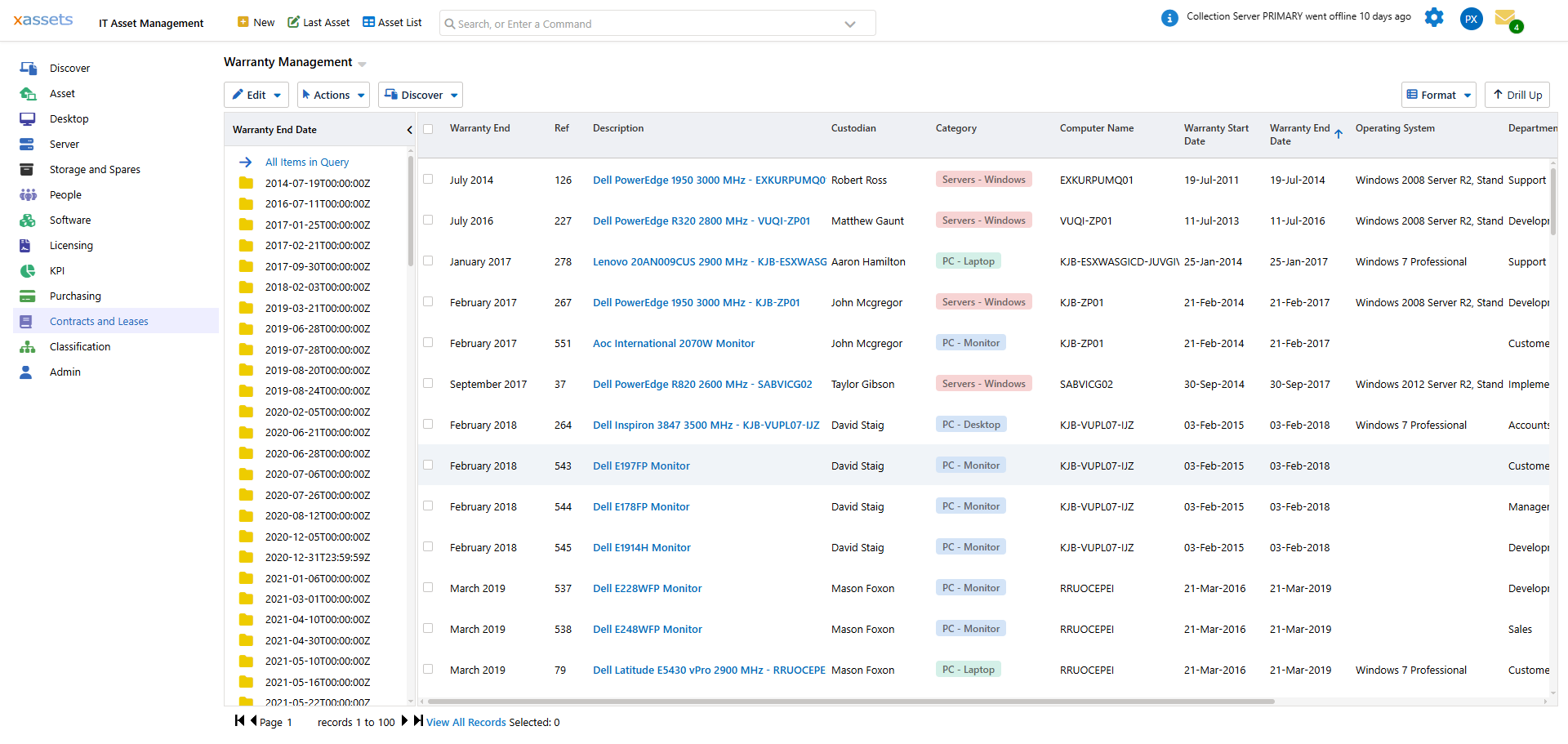
The Warranty Management list shows the Warranty End Date group, asset Reference, Description, Custodian, Category, Computer Name, Warranty Start Date, Warranty End Date and Operating System for each asset:
Click any asset's description to open it and view or edit its warranty details on the Edit Asset tab, under the Warranty and Servicing section:
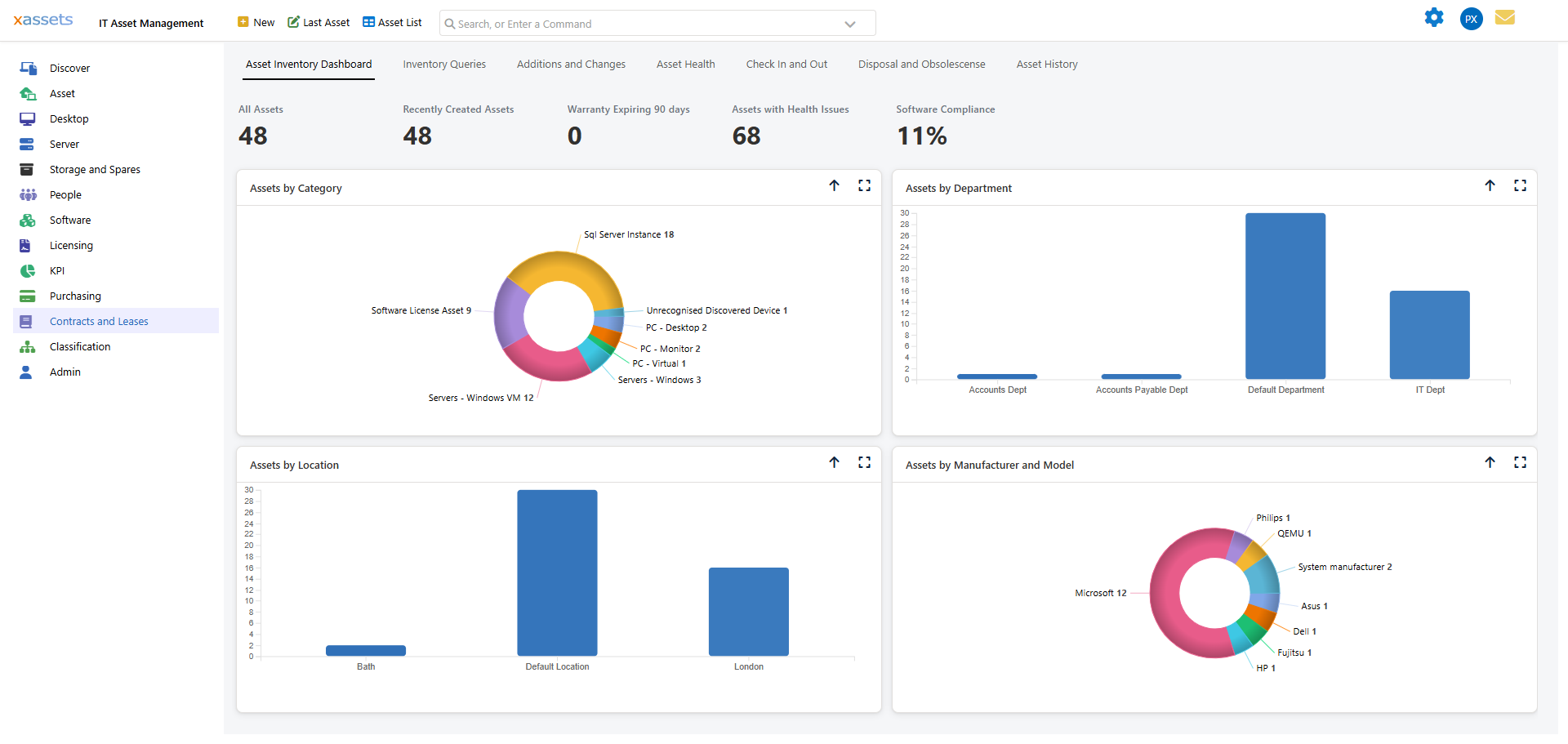
The Asset Inventory Dashboard also shows a Warranty Expiring 90 days count as a quick health indicator.
Key Warranty Fields
| Field | Purpose |
|---|---|
| Warranty Start Date | When manufacturer coverage begins (usually the purchase date) |
| Warranty End Date | When manufacturer coverage expires |
| Extended Warranty Details | Free-text notes on any extended coverage purchased -- provider, plan, or terms |
These fields appear on the asset's Edit Asset tab (under Warranty and Servicing) and on the All Asset Data tab, alongside related fields such as Normally Serviced By Supplier and Normally Serviced By Custodian.
Entering Warranty Data
Warranty information can be entered in several ways:
- Manual entry -- edit the asset record and fill in the Warranty Start Date / Warranty End Date fields
- Spreadsheet import -- import warranty data in bulk using the data import tools (see the Configuration Guide)
- Integration -- some vendor integrations can pull warranty data automatically (consult xAssets for availability)
Warranty Expiry Reports
Warranty expiry reports work the same way as contract and lease expiry reports, identifying assets with warranties approaching their end date. Use these reports to:
- Plan budget for extended warranty purchases
- Identify clusters of assets expiring at the same time (common when equipment was purchased in a single procurement cycle)
- Prioritise which assets to extend coverage for based on their criticality and remaining useful life
Tips
- Focus warranty tracking on high-value and business-critical assets first (servers, network infrastructure)
- Set up email notifications for warranty expiry dates on critical equipment
- When purchasing replacement assets, transfer any remaining warranty from old assets to the new records if the vendor supports this
- Review assets past warranty quarterly -- they may be candidates for disposal or replacement
Related Articles
- Contracts -- managing contracts and leases alongside warranties
- Email Notifications -- automated expiry alerts