Problems
A Problem represents a root cause that may be behind one or more incidents. For example, "VPN gateway failure" is a single problem, but many users may have logged separate incidents related to that same outage. Linking incidents to a problem helps track root-cause resolution and prevents duplicate investigation effort.
When to Create a Problem Record
Create a problem record when:
- Multiple incidents share the same root cause -- linking them to one problem avoids duplicate troubleshooting
- An incident recurs -- a recurring issue suggests an underlying problem that needs a deeper fix
- A major outage occurs -- a single problem record tracks the resolution while individual incidents track the impact on each affected user or asset
- Proactive investigation -- you have identified a potential issue before users report it
Reaching the Problems List
- Click Service Management in the left-hand navigation bar to open its flyout menu
- Select Problem Management
The Problems list opens, showing columns for Reference, Description, Date Completed, Raised, Caller, Status, Type, Assigned, Priority, Hours and Notes. The Problems heading has a drop-down with related views, including Problems - Completed.
If no problem records have been logged yet, the list shows "This query or the current selection returned no data" -- this is expected until problems are raised.
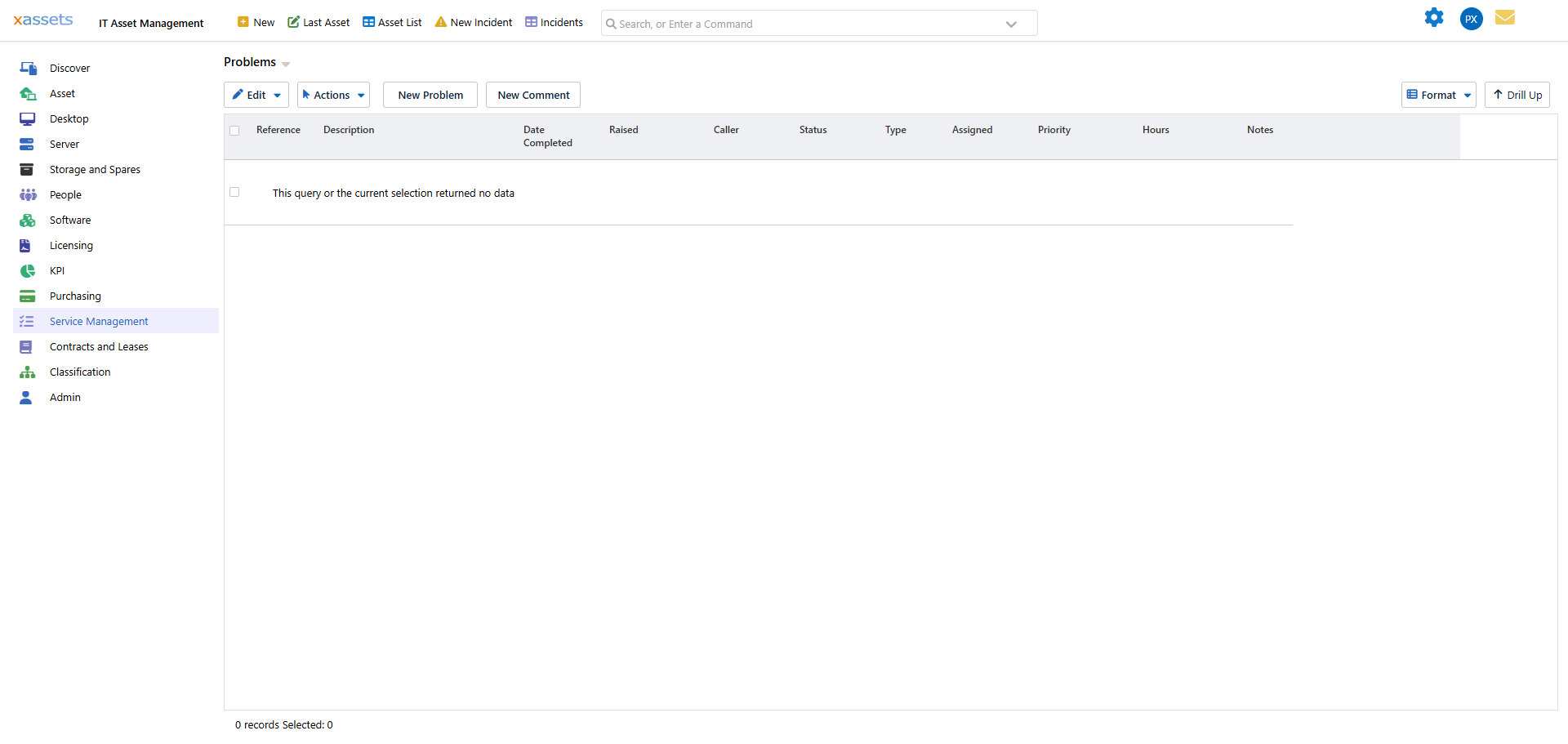
Creating a Problem Record
There are two ways to start a new problem record from the Problems list:
- Click the New Problem button on the toolbar, or
- Open the Actions menu and select Create a New Problem Record
Either opens an Edit Problem form where the Type is automatically set to Problem Management. Fill in the Description (required), Caller, Priority, Assigned To, Assigned to Supplier and Standard Problem as needed, then Save.
The Edit Problem dialog also has tabs for Notes, Servicing, and Images and Documents, plus Reports, Relationships, Similar and Problem Updates sections in the side panel for tracking related work and history.
Linking Incidents to a Problem
To associate existing incidents with a problem:
- Open the problem record
- Go to the Relationships tab
- Link the related incidents there
The Similar tab can also help surface incidents or problems with matching characteristics.
Escalation
The Service Desk Dashboard (reached from the same Service Management flyout menu) gives an overview of open incidents and problems, which is useful for spotting items that need escalation, such as high-priority items that have been open a long time.
Tips
- Do not create a problem for every incident -- only when there is evidence of a shared root cause or a recurring pattern
- Keep the problem's Notes updated as the investigation progresses, so service desk agents handling new related incidents can see the current status
- Close the problem only when the underlying issue has been resolved and verified
- Review open problems regularly to ensure they are progressing toward resolution
Related Articles
- Tasks -- the Service Desk overview
- Adding New Incidents -- creating the incidents that feed into problems
- Completed Incidents -- reviewing resolved incidents for patterns
- Change Requests -- implementing fixes that require formal change management