Defining Titles
A catalog entry on its own is just a name. To know when an asset has a product installed, the engine needs to know which discovered titles count as evidence of that product. Those titles are the entry's defining titles.
What a Defining Title Does
When the engine processes consumptions, it looks at every asset and asks: "for this product, does the asset have any defining title installed?" If yes, post a consumption.
| Catalog Entry | Defining Titles | Asset Has | Consumption? |
|---|---|---|---|
| Microsoft Office | Microsoft Word, Microsoft Excel, Microsoft Outlook | Word + Excel | Yes (1 consumption) |
| Microsoft Office | Microsoft Word, Microsoft Excel, Microsoft Outlook | nothing | No |
| Adobe Acrobat Pro | Adobe Acrobat Pro DC | Adobe Acrobat Pro DC | Yes |
| Adobe Acrobat Pro | Adobe Acrobat Pro DC | Adobe Acrobat Reader | No (Reader is a different title) |
A product needs at least one defining title or no consumptions are ever posted for it — and licenses for that product sit unallocated forever.
Adding a Defining Title
- Open the catalog entry from Licensing → Licensing Position.
- Look at the Software Titles related list.
- Click Add Existing to attach a recognized title.
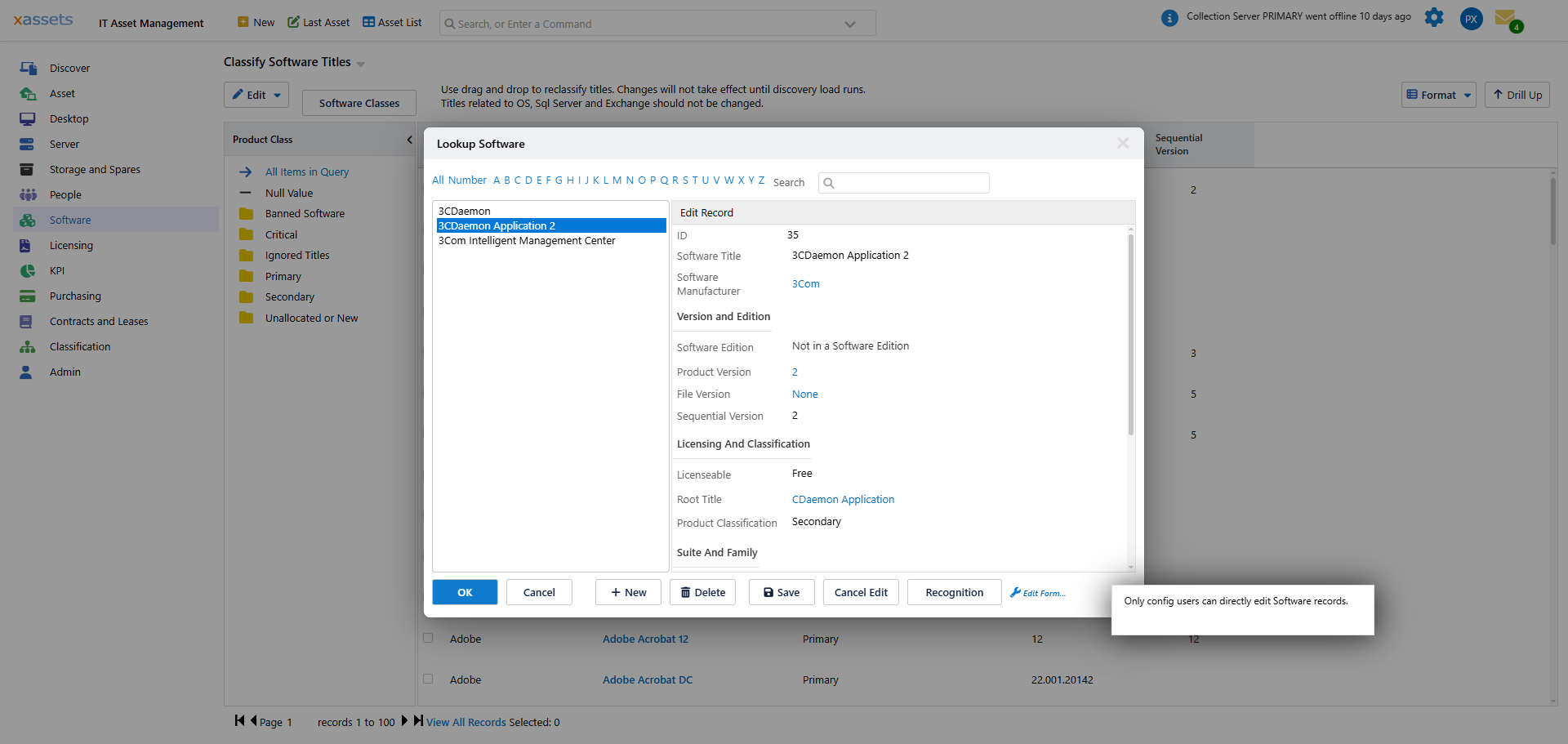
- Pick the title from the dialog and click OK.
The title is now associated with the product, but it is not yet defining.
Setting the Defining Flag
- Click Edit Link... on the associated title.
- Tick the Defining checkbox.
- Click OK to save.
Important: When you change software title associations, some internal database links must be regenerated. This can take a few minutes on large installations. Refresh the Licensing Position page after making changes to see updated data.
Reclassifying Many Titles at Once: Classify Software Titles
The per-entry workflow above (open the catalog entry → Add Existing → Edit Link) is best for one or two changes. For bulk reclassification — moving many titles between products, or marking large numbers of titles as defining — use the Classify Software Titles screen under the Software menu:
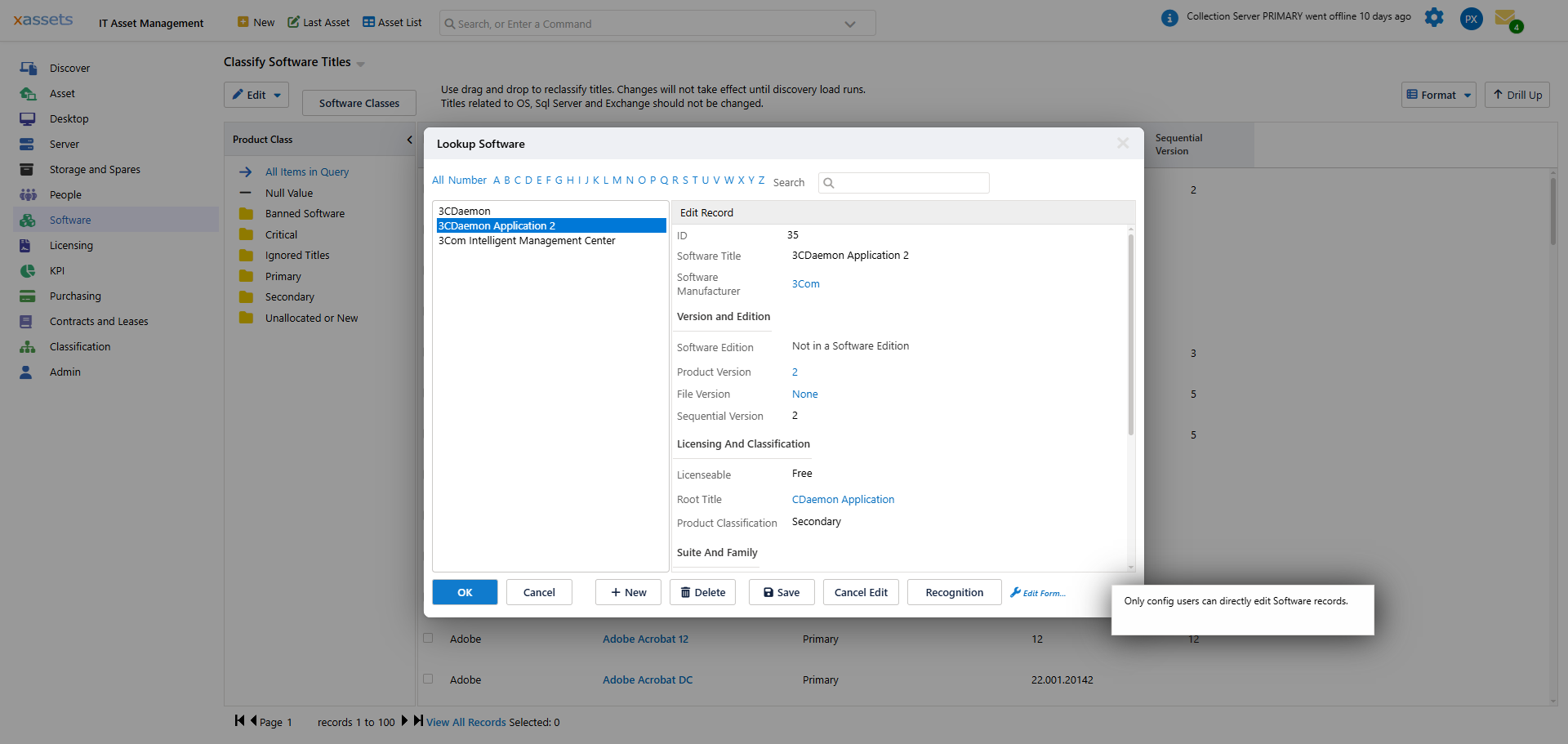
The screen groups software titles by product class and lets you drag and drop titles to reclassify them. The Defining flag controls whether the presence of a title on a computer counts as the product being installed there. At least one title per product is normally marked Defining; this is set automatically by discovery for recognized titles.
The same warning applies as on the per-entry workflow: changes trigger regeneration of internal database links, which can take a few minutes on large installations.
One Defining Title Is Enough
A product needs at least one defining title to have consumptions posted. Most products only need one — the title that uniquely identifies the product on a machine.
Suites and Their Components
Suites — Microsoft Office, Microsoft 365, Adobe Creative Cloud — bundle multiple individually-named applications under a single licensable product. Modelling them correctly is one of the most common catalog tasks.
The pattern:
- Create one catalog entry for the suite (e.g., "Microsoft 365 Apps for Business")
- Attach the component titles (Word, Excel, Outlook, Teams, etc.) to that entry as defining titles
- The suite is treated as installed if any of its defining components is on the machine
This means a machine with only Excel installed counts as one M365 consumption — not three or five separate consumptions for each component. The suite is the licensable unit; the components are evidence.
Where it gets nuanced:
- Component products that are also sold standalone. Adobe Acrobat Pro is included in Creative Cloud All Apps, but is also sold as a standalone product. Model both: a Creative Cloud All Apps catalog entry with Acrobat Pro as a defining title, and a standalone Acrobat Pro catalog entry also with Acrobat Pro as defining. The recognition layer routes the install to the right product based on edition / SKU information.
- Suite editions. Microsoft 365 has Apps for Business, E3, E5, F3, etc. Each is a separate catalog entry with its own License Type and seats. The defining titles overlap — Word is in all of them — but the recognition database distinguishes the editions on install.
For single-application products (Adobe Acrobat Pro standalone, Visual Studio Professional, WinZip), one defining title is the norm.
Defining vs Non-Defining Associations
A title can be associated with a catalog entry as defining or non-defining. The difference:
| Association | What It Says | When Consumption Posts |
|---|---|---|
| Defining | "If this is installed, the product is installed" | Yes — posts a consumption |
| Non-defining | "This is part of this product but not sufficient to indicate installation" | No — does not post a consumption on its own |
Non-defining is rarely used. Most teams just use the defining flag and leave it on. The non-defining mode is for the unusual case where a title belongs to a product family (for reporting purposes) but does not itself indicate the licensable product is installed.
When the Recognition Database Sets Defining Titles
When products are auto-created by the Load Now process, the recognition database supplies both the product entry and the defining title associations. xAssets pre-classifies common products so that fresh installations have correct defining-title relationships out of the box.
You only need to set defining titles manually when:
- You created a custom catalog entry that the recognition database does not know about
- You have changed which titles a product covers (e.g., a new edition added to a suite)
- A defining title was lost in a recognition update and needs to be re-set
Verifying Defining Titles
To check whether a catalog entry has defining titles set:
- Open the entry.
- Look at the Software Titles related list.
- Each row has a flag showing whether it is defining.
If the list is empty, or no row is flagged defining, no consumptions will be posted for the product. This will show up as zero installs on the licensing position even if the product is installed on dozens of machines.
The License Dashboard → Licensing Calculation Steps tab includes a data-quality check called "Software Products with Consumptions but no Licenses" that surfaces the inverse problem (consumptions exist but licenses do not). The "no consumptions" case is rarer but worth checking on freshly created products.
Related Reading
- Software Catalog Overview
- Recognition — how titles become known to the system
- Operations: Data Quality Checks