Configurable Profiles
Profiles let you separate the product into different functional areas or roles, so each type of user only sees the menus and modules relevant to their job. Every user is assigned a profile, and administrators can create additional profiles or edit the built-in ones to control which modules and menu items appear.
The current profile is shown at the top of the mainscreen, next to the xAssets logo ("IT Asset Management" in the below example):
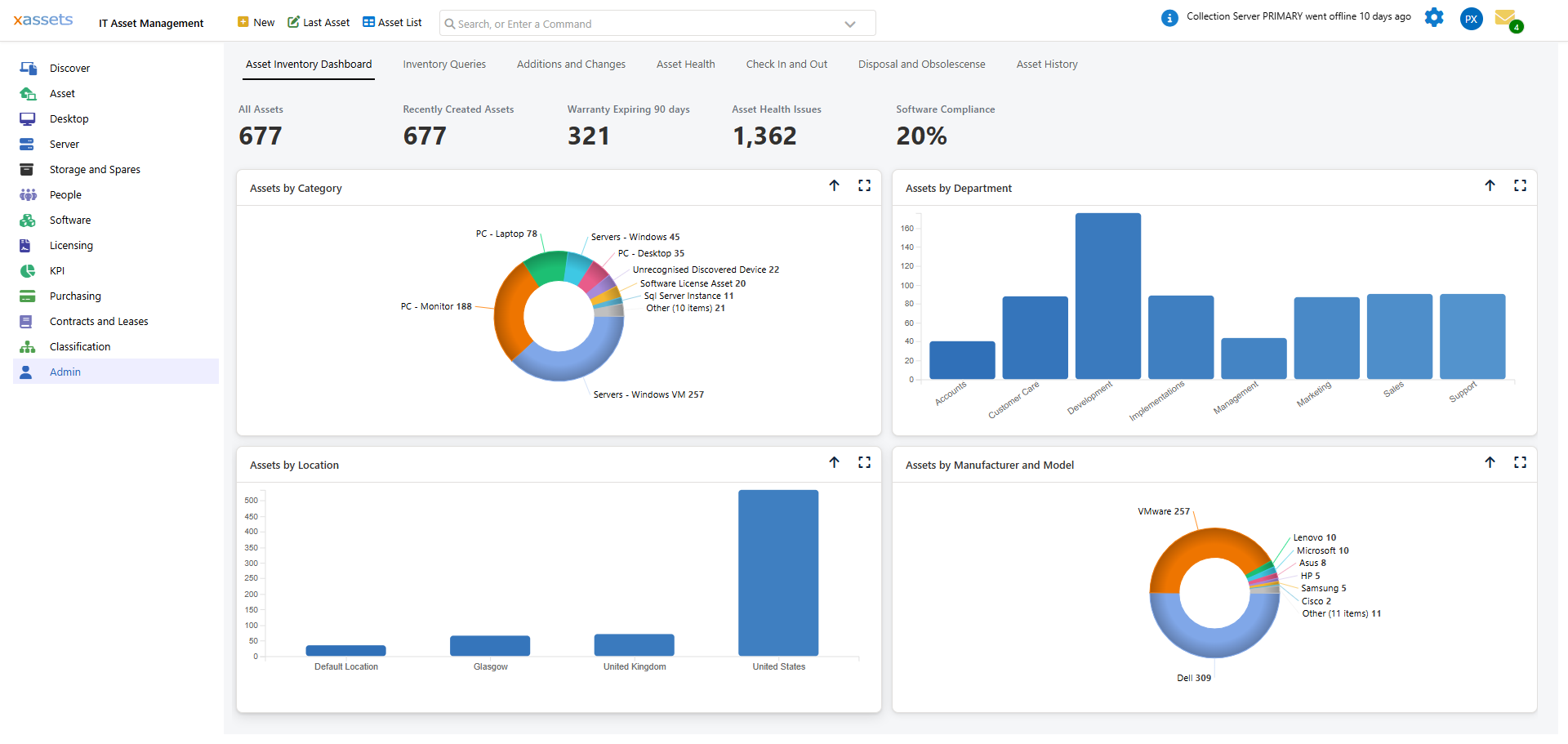
Clicking the profile name opens the "Change Profile" dialog, which lists every profile available to the current user. Selecting a different profile and clicking OK switches the whole application - the left-hand navigator, the header menu, and the home dashboard - to that profile's set of modules.
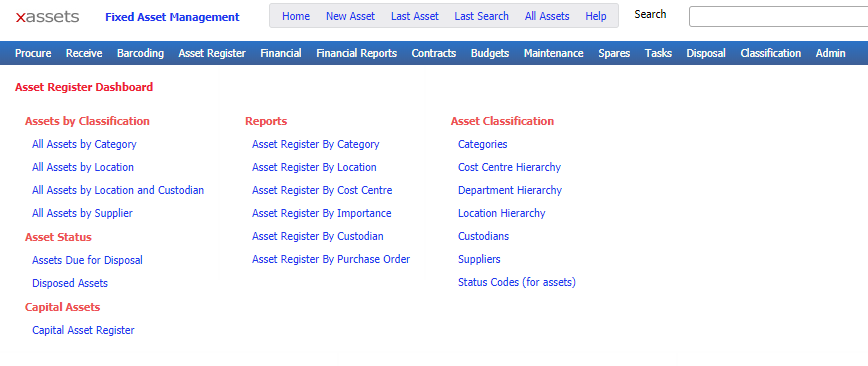
For example, the Fixed Asset Management profile lists modules for Purchasing, Assets, Financial, Storage and Spares, Barcoding, Construction, Contracts, Budgets, Maintenance, Service Management, Disposal, Classification, Financial Setup and Admin - it does not show the IT-specific modules (Desktop, Server, Software, Licensing) or Fleet-specific data:
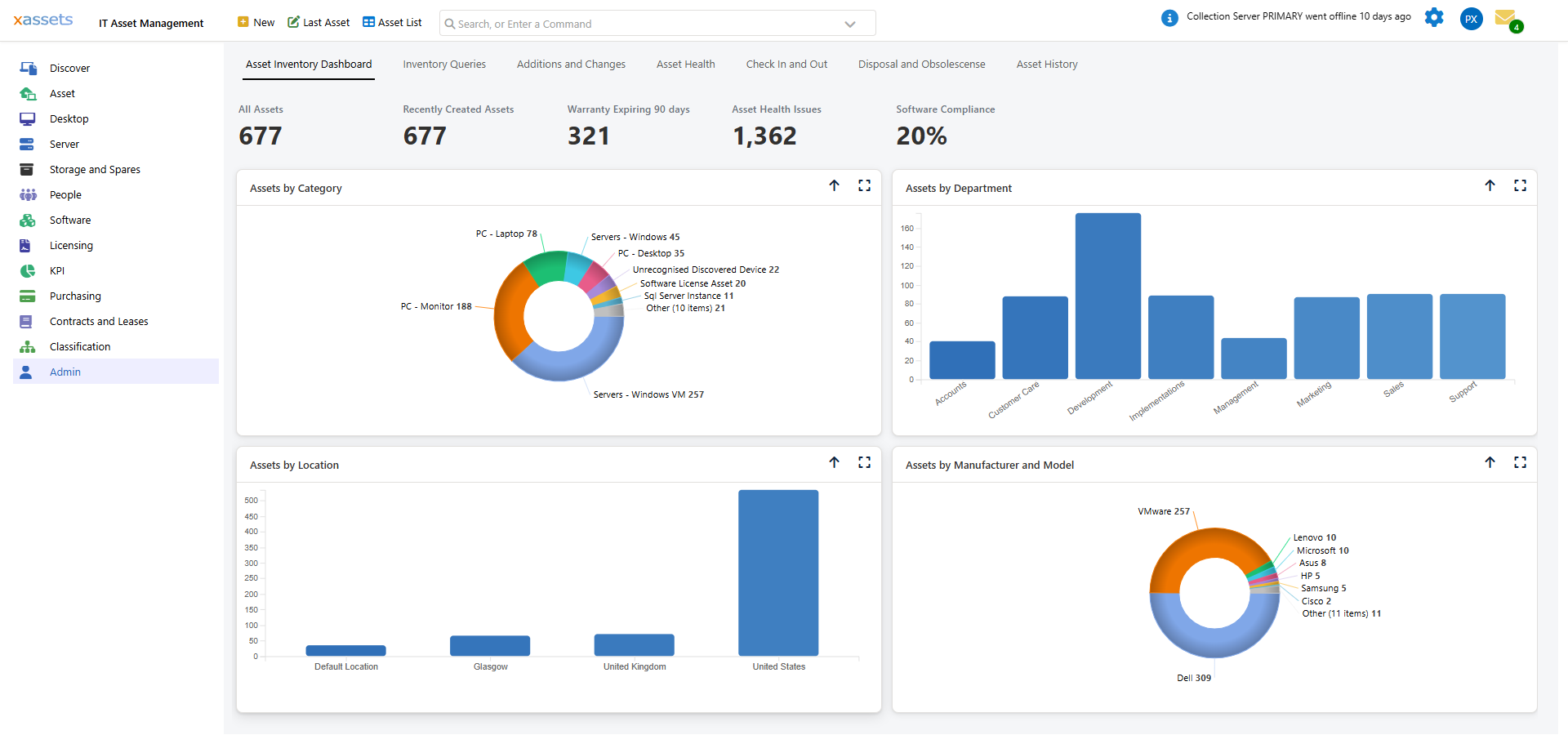
The IT Asset Management profile lists the functions needed by an IT Manager responsible for Inventory, Contract Management, Storage, Spare Parts and Risk Management: Discover, Asset, Desktop, Server, Storage and Spares, People, Software, Licensing, KPI, Purchasing, Service Management, Contracts and Leases, Barcoding, Maintenance, Classification and Admin:
Profiles are configured by creating or editing a "Profile" record from Admin > Menus > Profiles. Each profile record controls which menu items and modules are visible to the users assigned to it.
Related Articles
- What Can Be Configured Overview — Overview of all configurable areas
- Profiles — Detailed guide to configuring profiles
- All Main Screens — Overview of all main screens
- User Groups — Managing user groups and permissions