Configurable Queries
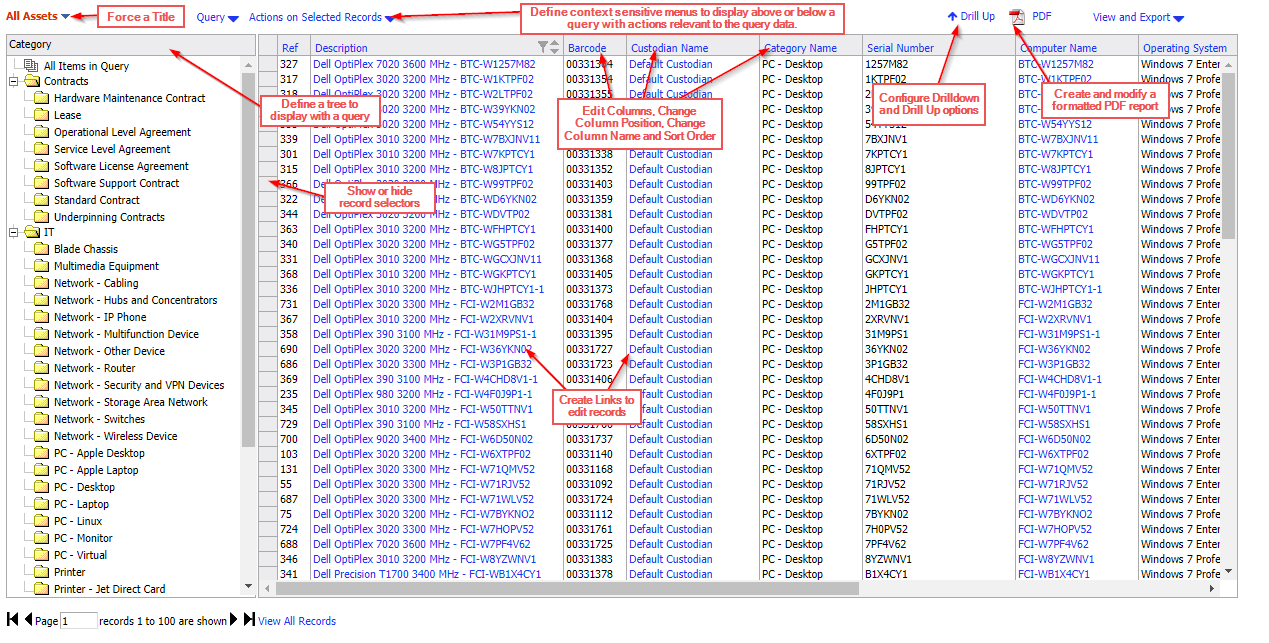
- Force a Title
The title displayed is the name of the query, but this can be overridden through the overridelistname querystring parameter and this can be set using the menu command builder.
- Define context sensitive menus and their associated actions
Queries can have a context which will determine what menus are displayed above or below the query when it is displayed on the screen. These menus can contain relevant menu options that can be used to act on the data in the query.
Contexts do not apply when a query is displayed in a dashboard.
- Define a tree to display with a query
The tree is determined by the drilldown hierarchy of the query being run and can be overridden with the tree= querystring item which can be set in the menu item which runs the query.
- Configure Drilldown and Drill Up options
The presentation levels defined in a query determine the drilldown and Drill Up options for a query as well as the tree displayed with the query.
- Edit Columns, Change Column Position, Change Column Name and Sort Order
The columns listed are defined within the query being displayed. The query can be edited by clicking the red query name title (admins only). The columns are listed in the first tab of the query.
- Create and modify a formatted PDF report
Queries all have an automatically defined PDF report associated with them which can be run when the query is displayed or from a menu option set to specifically run the PDF report. Using the Report Designer, the report contents and layout can be changed.
- Create Links to Edit Records
Columns in the query can contain links that enable the user to click the link to edit the record that is being referenced by the data.
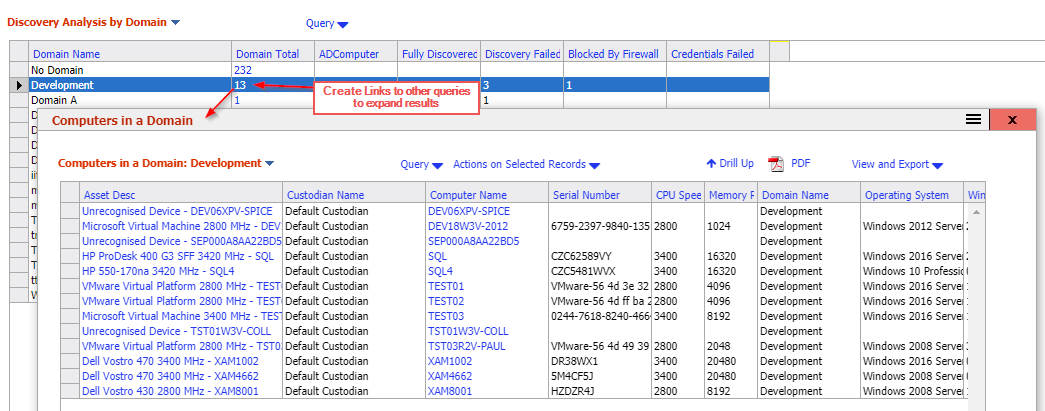
- Create links to other queries to expand results
A column in a query can be a link to a menu option that displays another query that contains expanded results for the clicked column. The query can be displayed in a pop-over dialog on top of the original query.
Related Articles
- What Can Be Configured Overview — Overview of all configurable areas
- Queries and Reports Overview — Detailed guide to queries and reports
- Creating a Query — Step-by-step query creation guide
- How to Create a Custom Report — Practical guide to creating custom reports