Search
The search functionality is driven by configurable queries that accept the user's search text as a parameter.
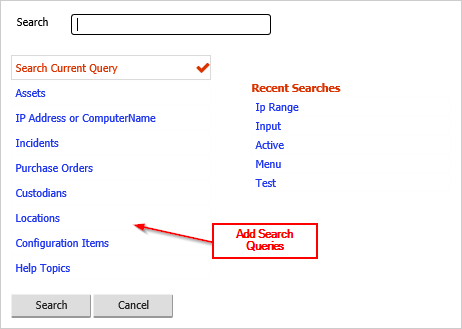
Adding Search Queries
The menu links on the left of the search screen are contained in the Search Menu menu category. Each link points to a query of type SEARCH.
To create a new search query:
- Create a query with the Type set to SEARCH
- Add a filter condition that uses the parameter %SearchFor% to match against the columns you want to be searchable
- Add a menu item in the Search Menu category that runs this query
When the user types in the search box, the text is substituted for %SearchFor% in the query filter.
Related Articles
- What Can Be Configured Overview — Overview of all configurable areas
- All Main Screens — Overview of all main screens
- Reference Data Lookup Screens — Configuring reference data screens
- Finding Assets — Using the search interface to find assets