Terms
This glossary introduces key terminology used throughout this guide. Understanding these terms will help you navigate the Fixed Asset Management module and communicate effectively with your finance team and system administrator.
Accounting Period
A defined time interval (typically a month) used for depreciation calculations and journal production. Periods are grouped into financial years, which are grouped into accounting period sets. Each Company is linked to one accounting period set. See the Accounting Periods page for setup details.
Acquisitioner
The person who purchased or procured an asset. Recorded on the asset record separately from the Custodian, since the person who bought an asset is not always the person who ends up using it.
Asset
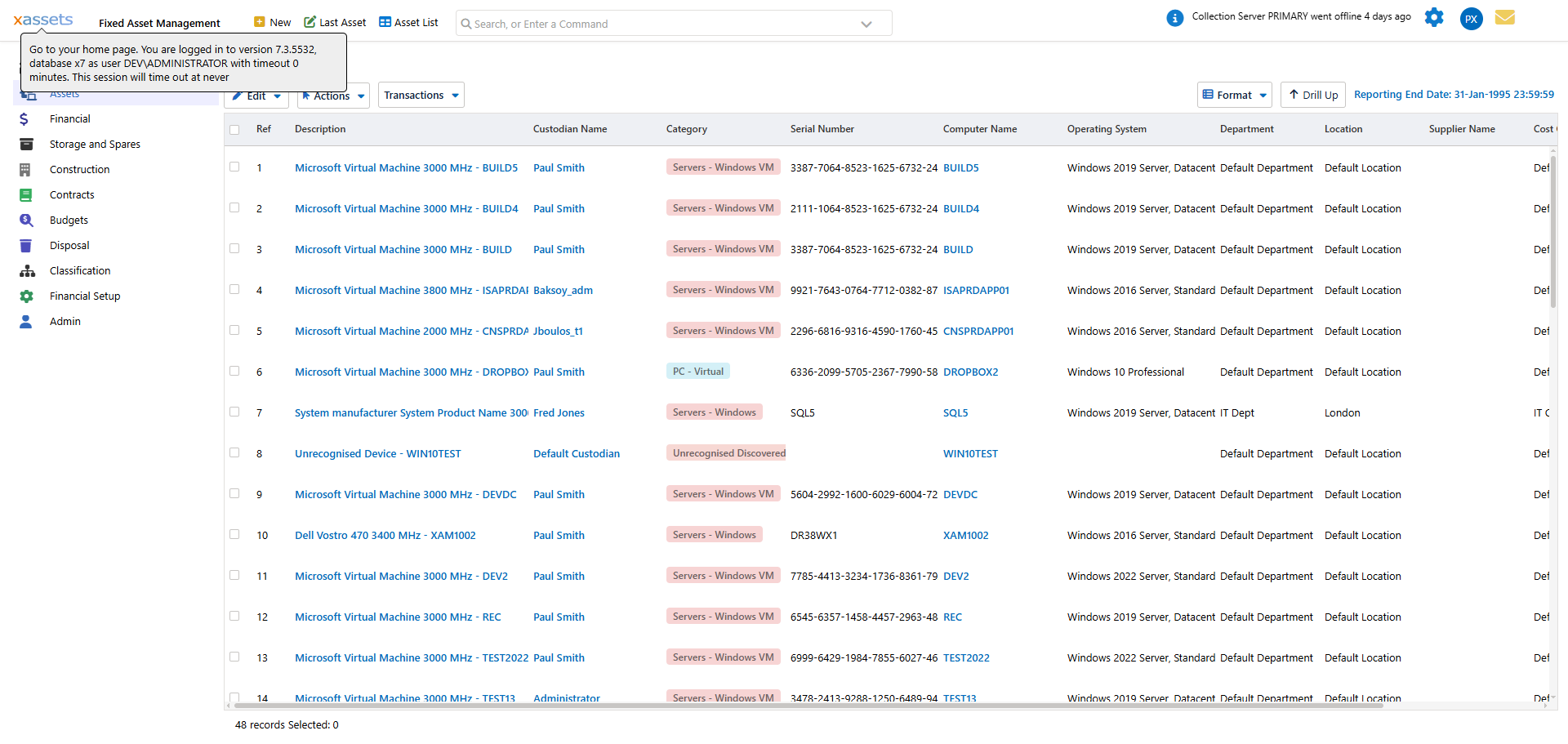
A single fixed-asset record. Every asset belongs to a Category (its type), a Company, a Location, a Department and Cost Centre, and is normally linked to a Custodian. Financial fields such as cost, depreciation and net book value are tracked per Book against the asset.
Book
A complete set of accounting transactions for your asset register. xAssets supports unlimited books, and each book contains a full set of transactions - purchases, depreciation, transfer costs, capital charges, and other costs. Multiple books allow you to maintain parallel valuations (for example, a tax book and a management accounting book). See the Books page for setup details.
Bulk Update
The ability to edit multiple records at once. For example, you can bulk update a list of assets to move them to a new location, assign a new depreciation type, transfer them to a new company, or post a transaction against each one. This is particularly important when changing depreciation rules for existing assets - see Assigning Depreciation Types to Many Assets.
Categories
A category is a type of asset. For example, Personal Computer, Router, and Car might each be different categories. Categories are used to group assets for depreciation rules and reporting. Each category-book combination can have a default depreciation formula assigned, which new assets in that category inherit automatically.
Company
A legal entity or accounting unit. Each asset belongs to one Company, and each Company has its own accounting period set and nominal group, so depreciation and journals are calculated and produced separately per company. Companies can be grouped into a Set of Companies for consolidated reporting.
Contracts
In xAssets, contracts, leases, and service level agreements (categories such as Lease, Standard Contract, Software Support Contract, Hardware Maintenance Contract) are stored as individual asset records linked to the assets they cover via inter-asset relationships. Dedicated screens present contract-specific fields to end users.
Custodians
A person who uses, services, purchases, or is responsible for an asset. Every user in xAssets is linked to a custodian record via their UserID.
Depreciation
Monthly transactions that reflect the reduction in value of an asset over its useful life. In accounting terms, depreciation moves value from the balance sheet (asset cost) to the profit and loss statement (depreciation expense). The formula used to calculate each month's charge is defined by the asset's depreciation type.
Depreciation Type
A named formula that defines how depreciation is calculated - for example, straight-line over 60 months, or 25% declining balance. See the Depreciation Types page for details.
Disposal
Removing an asset from active service, recorded against the asset with a disposal date. Disposing an asset triggers a disposal transaction in each book the asset is depreciated in, writing off any remaining net book value.
Forms
A collection of data fields with display and labelling settings. Forms drive the editing screens throughout the system and can be customised by an administrator.
Journal
A file containing accounting entries produced by period-end processing, ready for import into your general ledger system. Journals are generated after depreciation has been calculated and reviewed.
Net Book Value (NBV)
The current value of an asset: original cost minus accumulated depreciation, plus any revaluations. NBV is updated each time depreciation is calculated.
Nominal Code
An accounting reference code that maps xAssets transactions to the correct account in your general ledger. See the Nominal Codes page for details.
Profiles
A profile is a complete set of menus, views, and queries - effectively a separate workspace. You might have profiles for "Fixed Asset Management", "IT Asset Management", and "Fleet Management". Profiles also control which parts of the system a user can access.
Query
A configurable view that selects and displays records. Each query has a type (for example, Asset, Financial Transaction, or Purchase Order), a column list, and a filter that determines which records appear.
Recovery Period
The number of accounting periods over which an asset is depreciated. For straight-line depreciation, the monthly charge equals the depreciable amount divided by the recovery period.
Report
A printable document, typically produced in PDF format. Reports can be generated from predefined templates or created ad hoc by admin users.
Rewind
The ability to reverse a depreciation calculation for the current period. Use this when you need to make corrections before producing journals. See the Monthly Accounting Process page.
Salvage Value
The estimated residual value of an asset at the end of its useful life. When a depreciation formula references salvage value, the system depreciates down to this amount rather than to zero.
Transaction
A single financial entry against an asset within a book. Posted transactions should not be edited; instead, corrections are made by posting an adjusting transaction. You can post transactions to multiple assets at once using Bulk Update.
Transfer
Moving an asset to a new Location, Department, Cost Centre or Company. Transfers can be recorded one at a time or, for a batch of assets, using Bulk Update; moving an asset between companies can generate a transfer transaction to reflect the change of ownership between books.
Trees
A hierarchical list on the left side of the screen that helps you browse data by structure - for example, viewing assets grouped by category, location, or department.
User
A person using the xAssets system. Each user has a username, security settings, and is linked to a custodian record via their UserID. This link enables queries such as "My Assets" that show assets the user is responsible for.
Related Articles
- Fixed Asset Management Introduction - Introduction to the fixed asset management module
- Financial Setup Introduction - Getting started with financial configuration
- Depreciation Types - The different depreciation calculation methods available
- Accounting Periods - Configuring accounting periods for depreciation